 NeuralSpark
 NeuralVault comes with it
NeuralVault · included with NeuralSpark
Everything you know, kept.
A notes app for your PC, in the same download and on the same licence. Your notes stay plain files in folders, every project gets a page, and an assistant keeps it all up to date.
New · Project layouts
A page that fits the project.
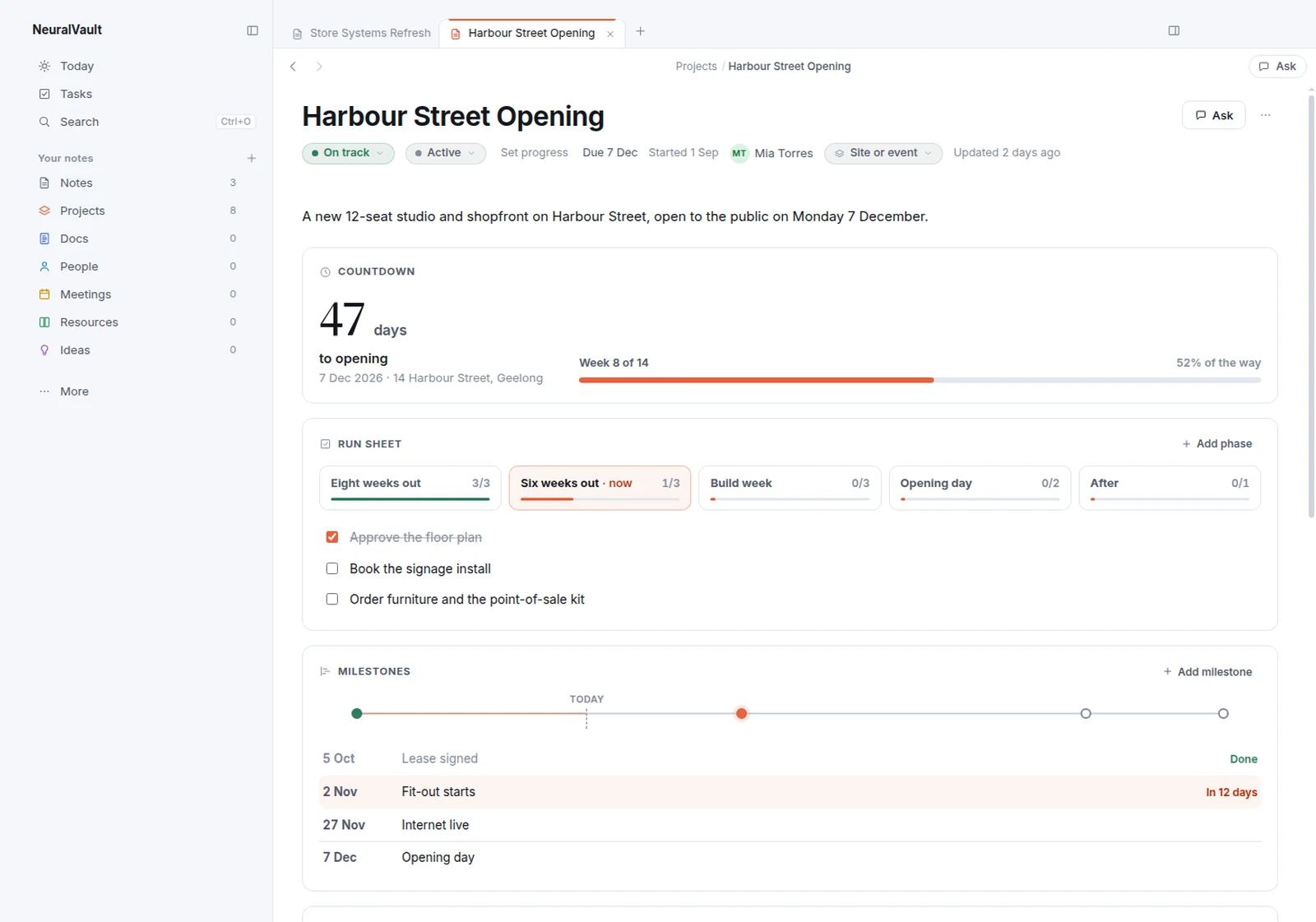
Each project opens with a dashboard made for its kind of work. It’s built from blocks that fill from whatever the project holds, and it changes the moment a note does. NeuralVault suggests a layout from how a project is set up, and the side chat puts what you tell it in the right block.
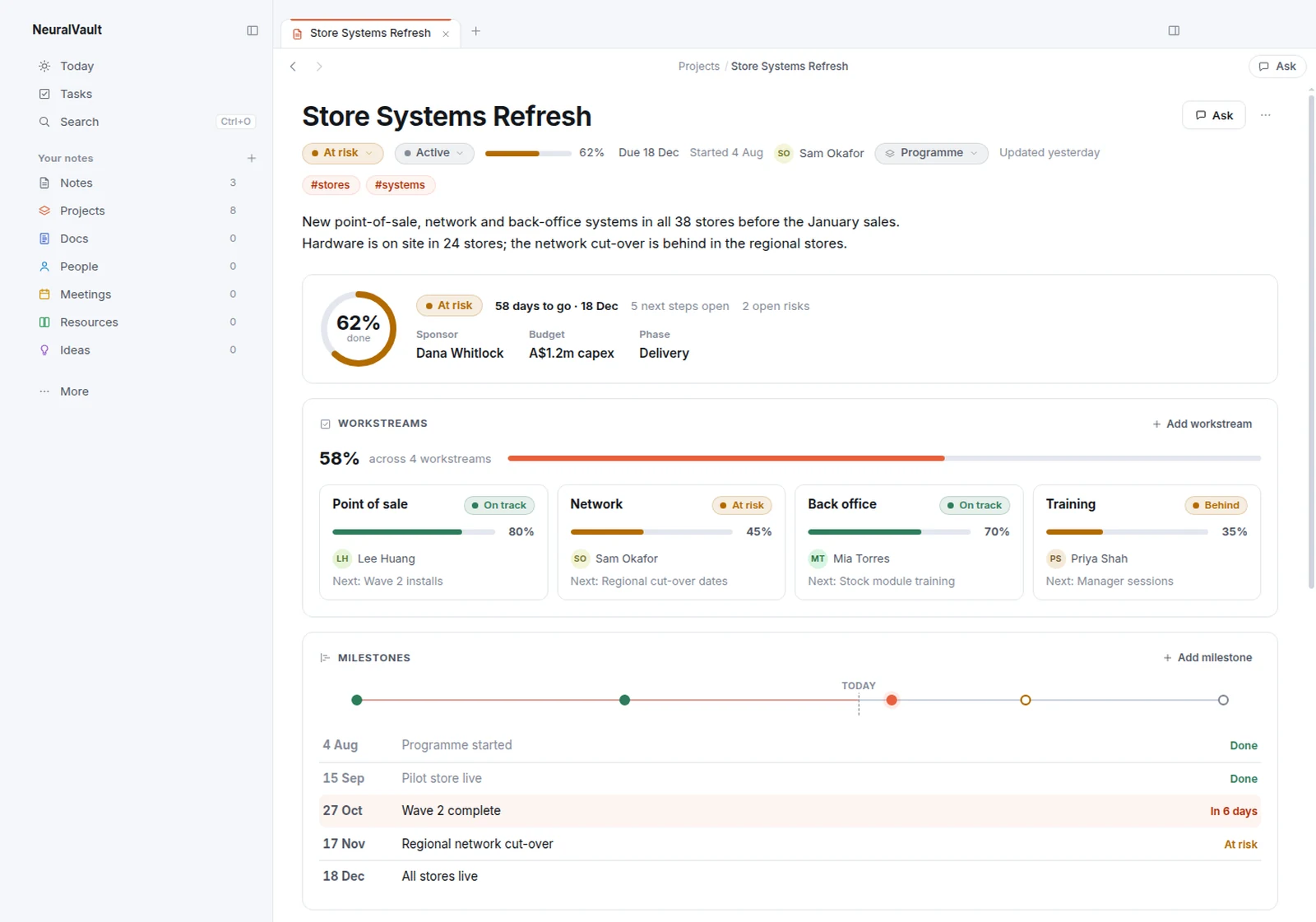
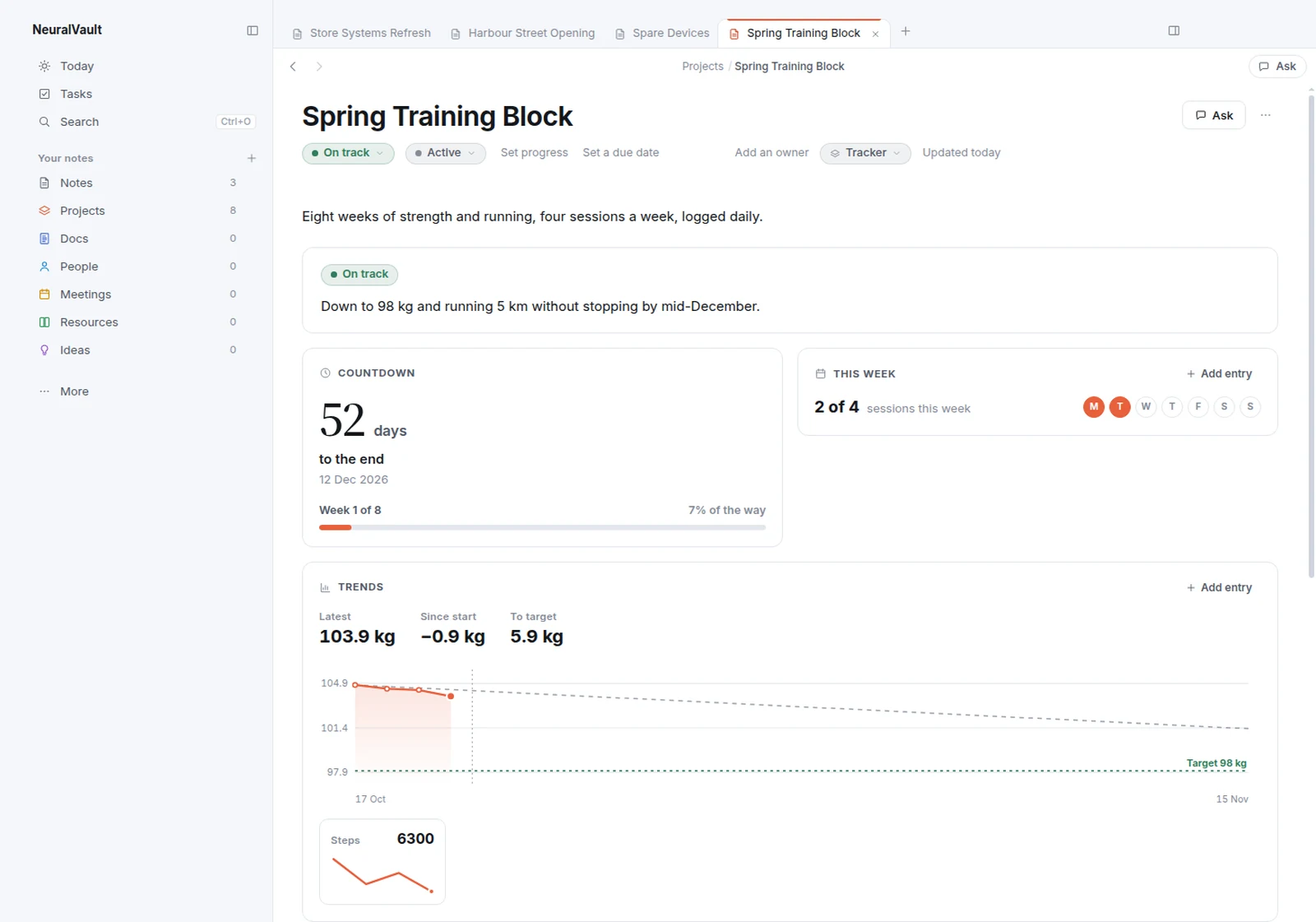
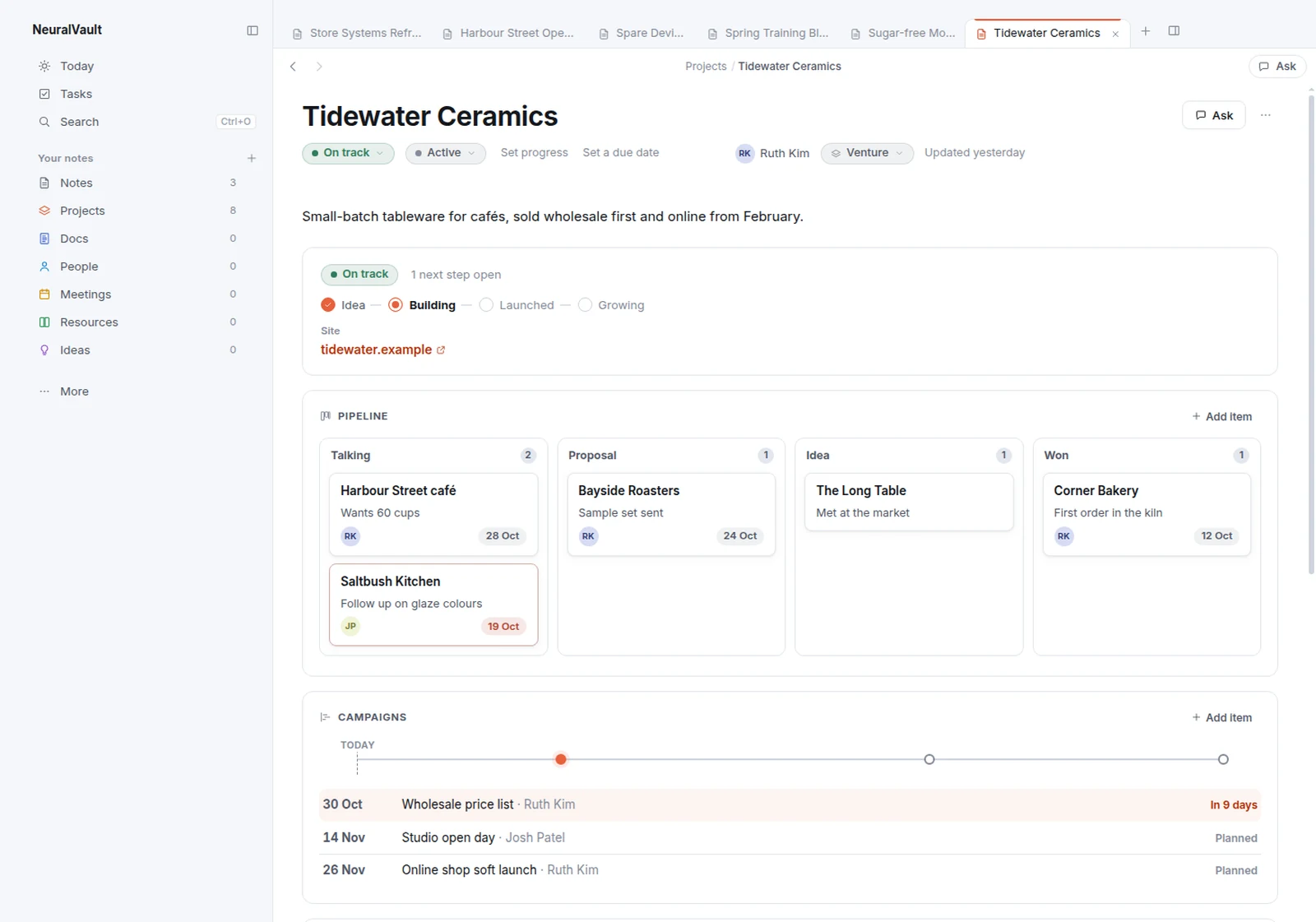
Programme
Progress, workstreams with their status and owner, and a milestone track.
Site or event
A countdown to the day, the run sheet by phase and the people to call.
Register
Any list of things as a grid you can sort and filter, with counts and totals.
Tracker
Numbers from a log charted against their targets, and how often this week.
Habit
Your streak, its milestones and the last two weeks of check-ins.
Venture
Its stage, a board of the pipeline and a timeline of what’s due.
Today
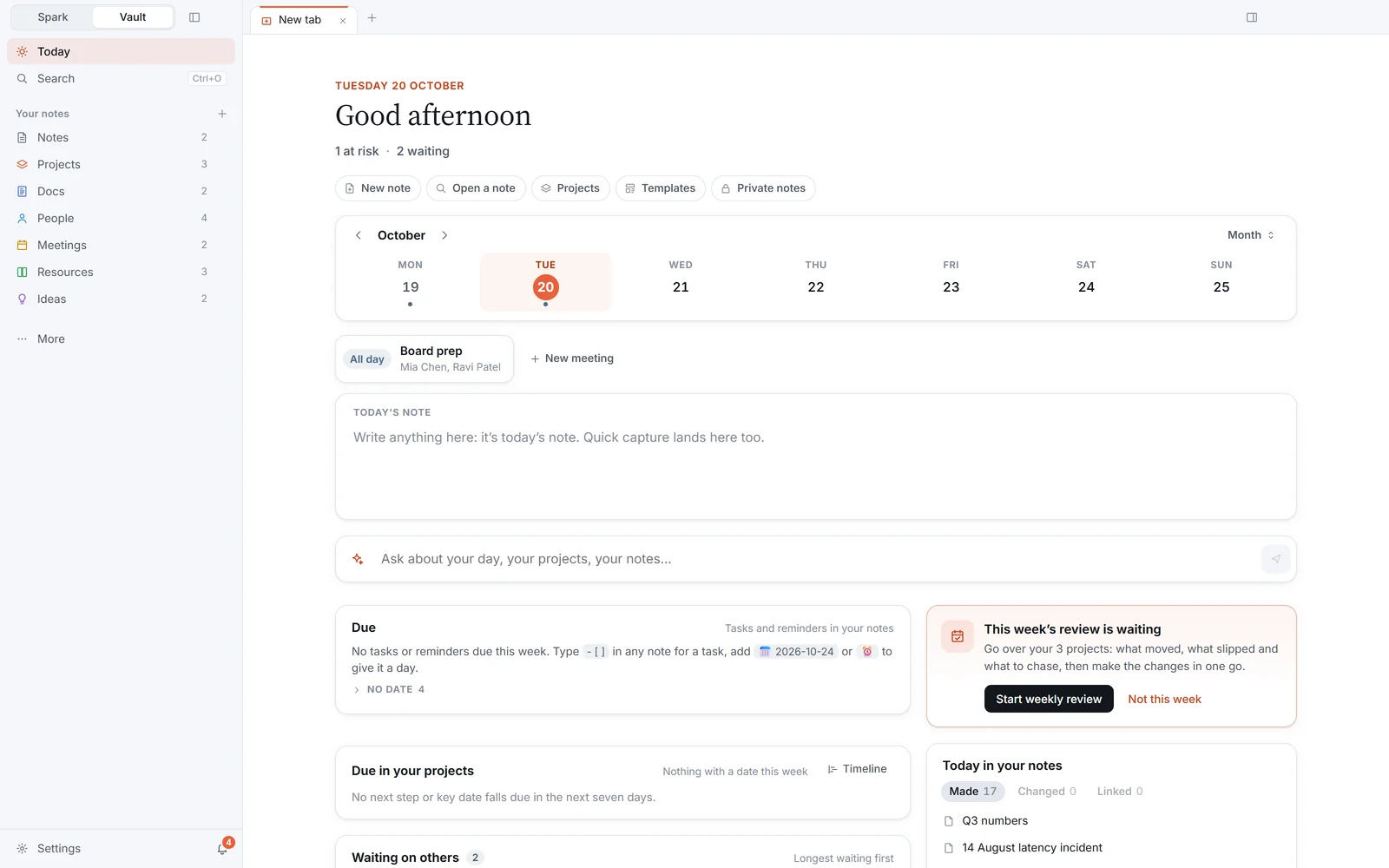
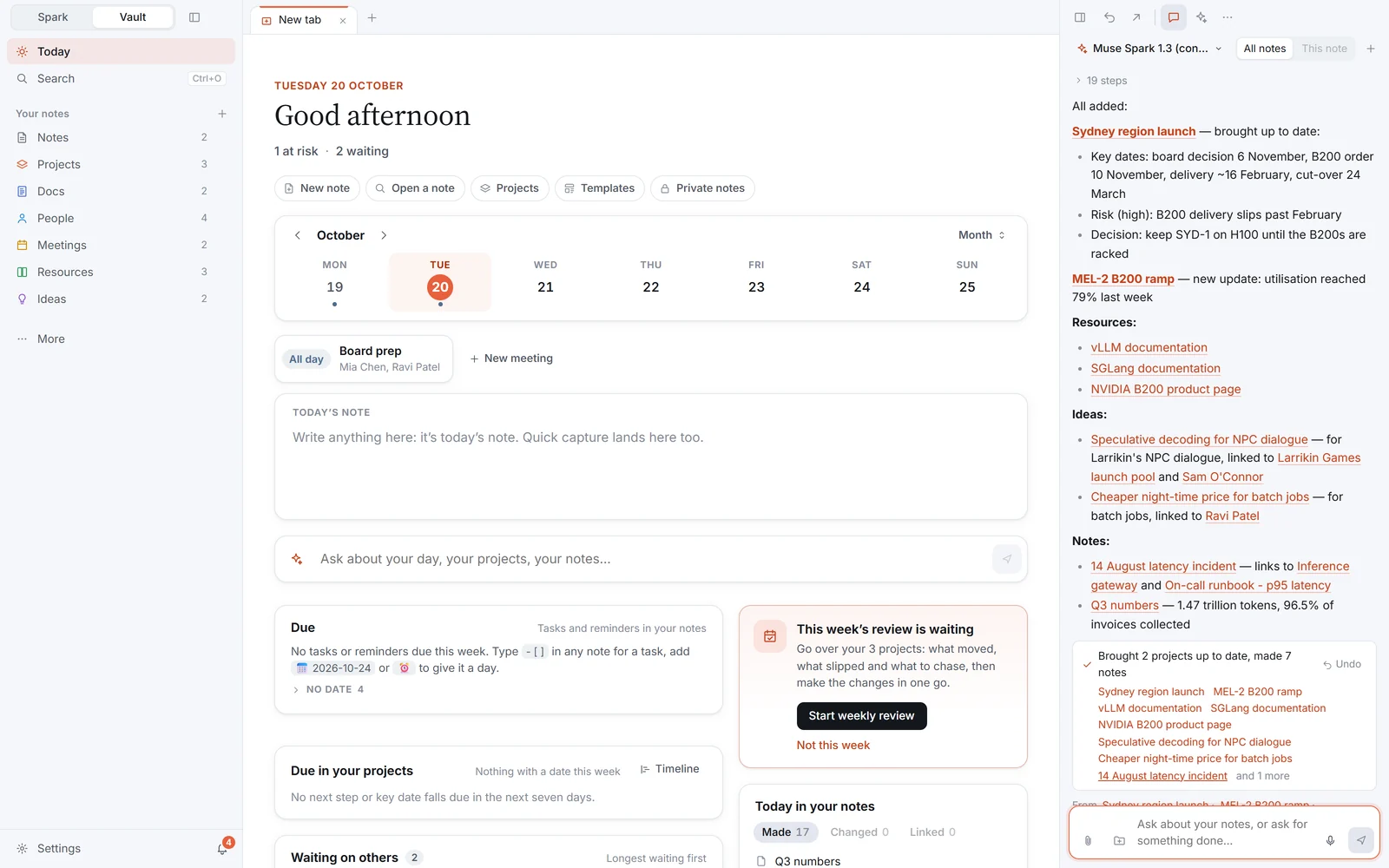
Your day, on one page.
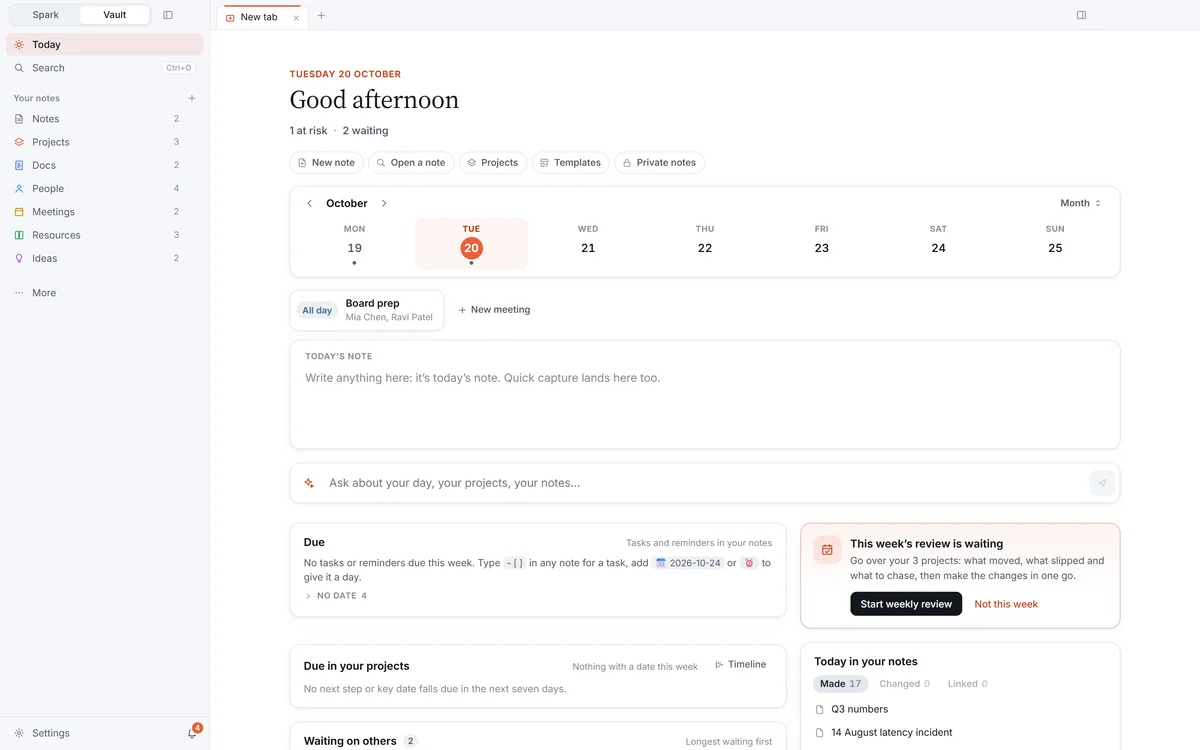
Your week, the day’s note ready to write in, what’s due, the day’s meetings and what changed in your projects.
Projects
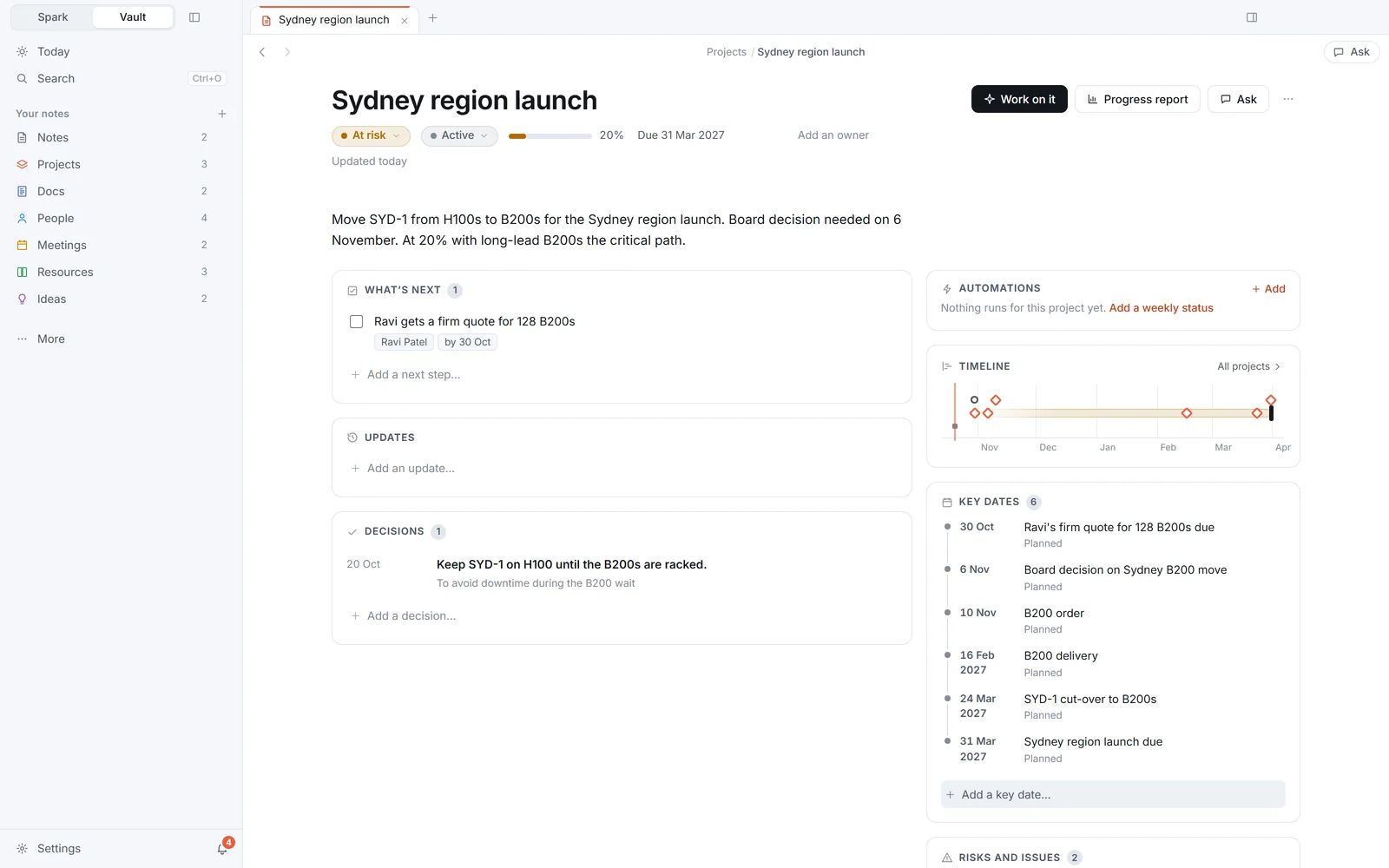
A page for every project.
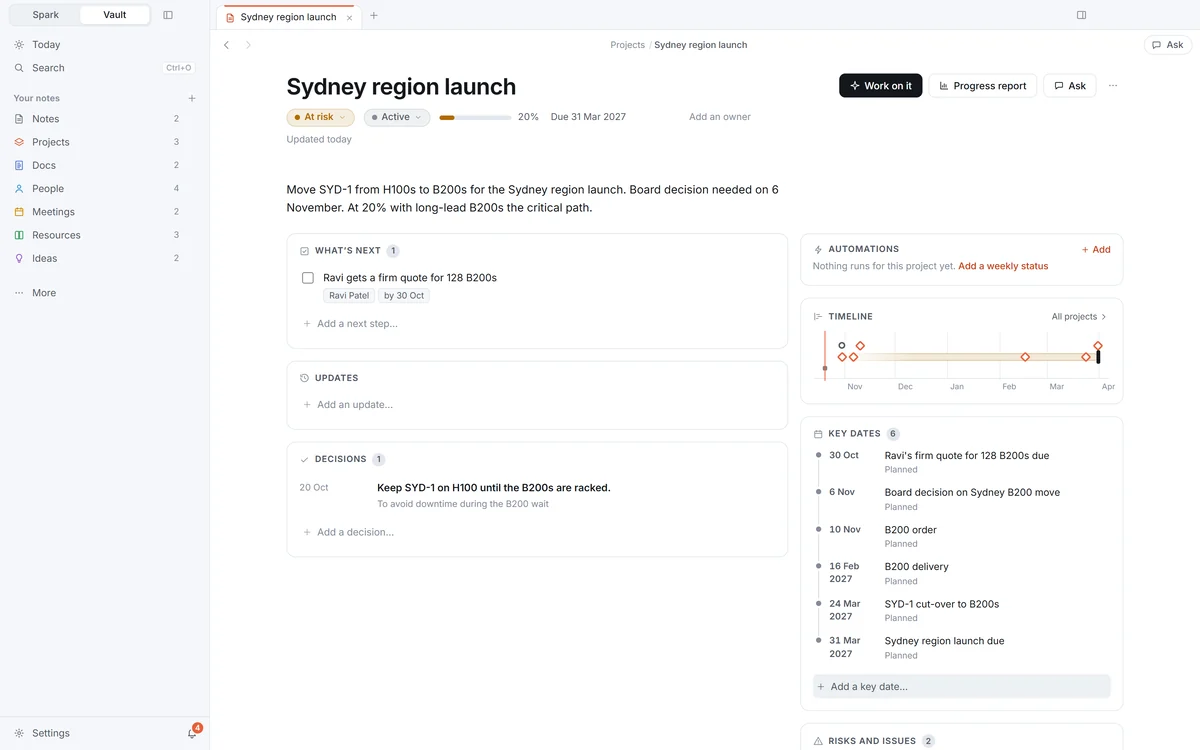
Health, progress, what’s next, key dates, people, risks, decisions and updates, with its files straight from the folder. Point it at where your projects live and it sets up the pages.
Note types
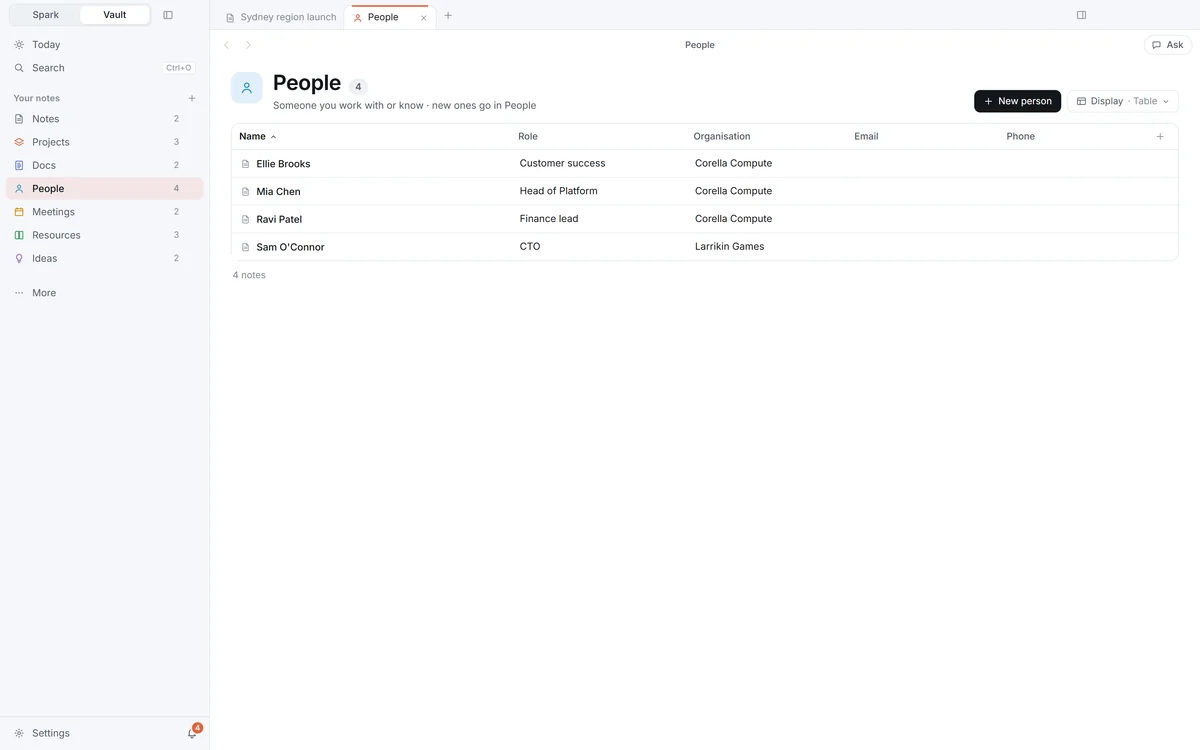
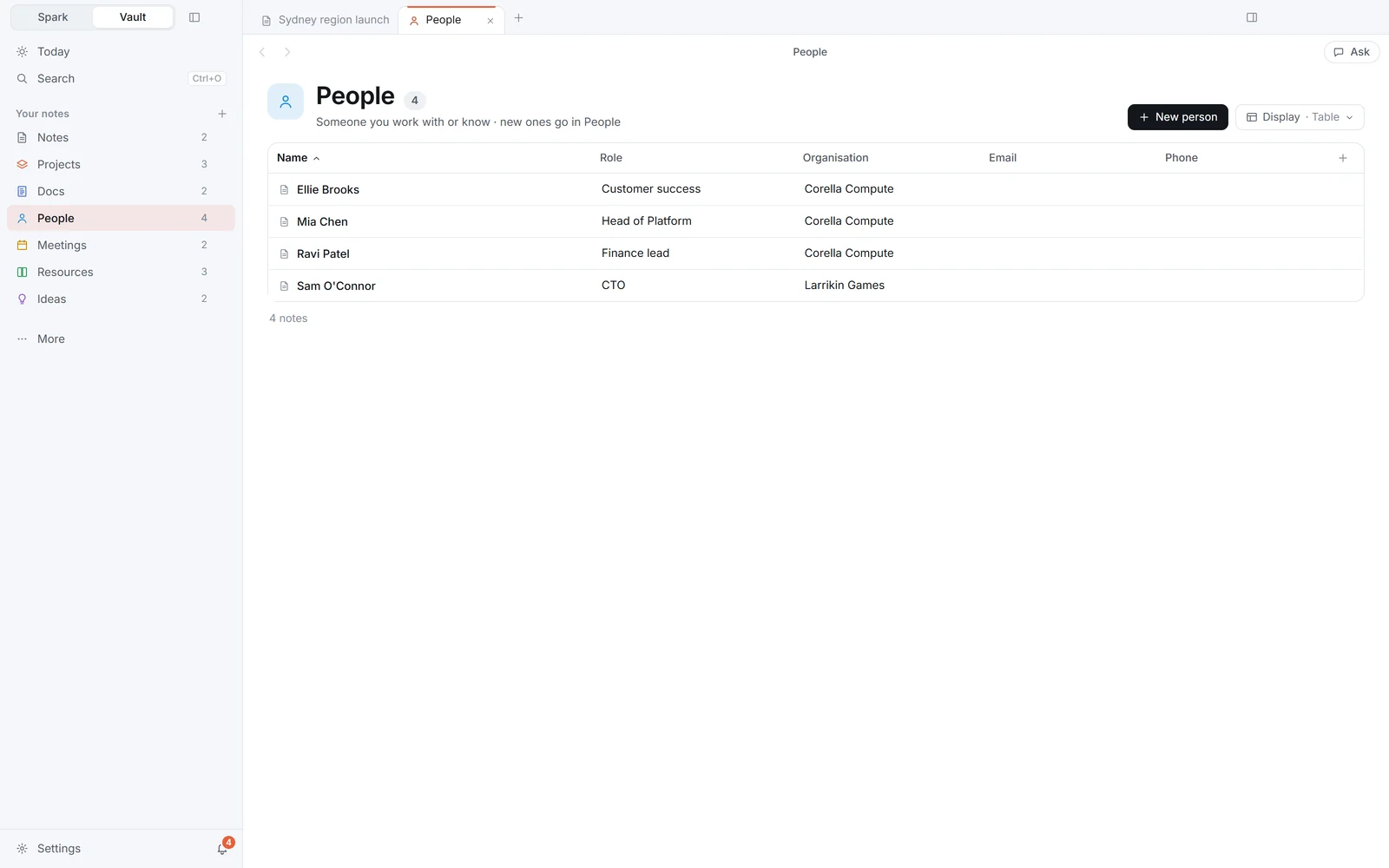
People, meetings, docs and ideas.
Each type has its own page, colour and fields, such as a person’s role and email. Make your own types, and type @ in a note to link a person or make one.
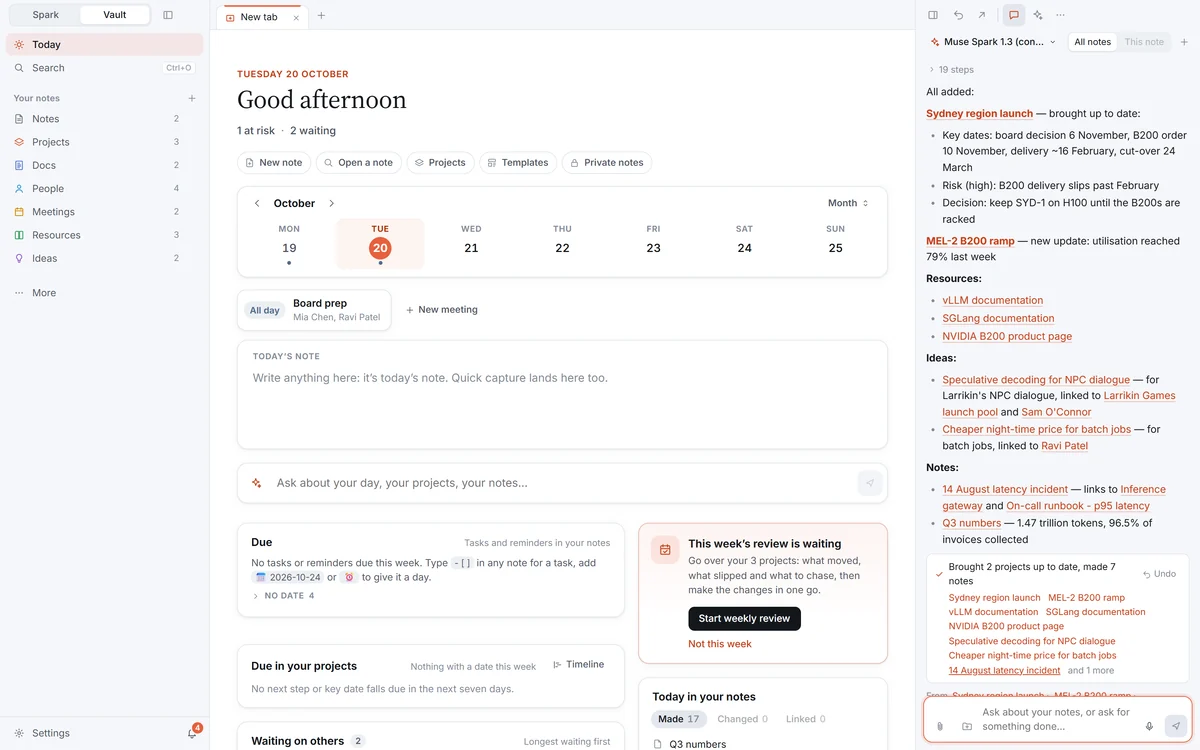
The assistant
Ask it, or ask it to do it.
It answers from your notes, sets up projects and people from what you tell it, and hands bigger jobs to NeuralSpark’s Cowork. Its changes to a note wait for you to keep or discard.
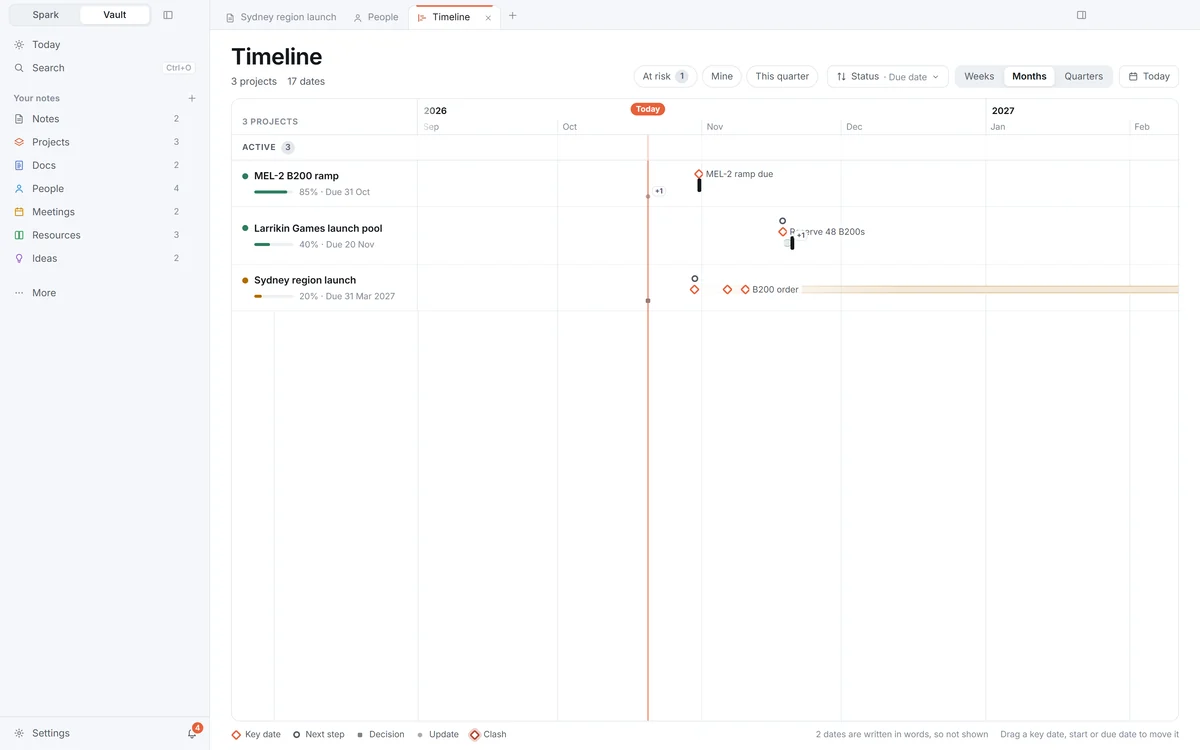
See it all
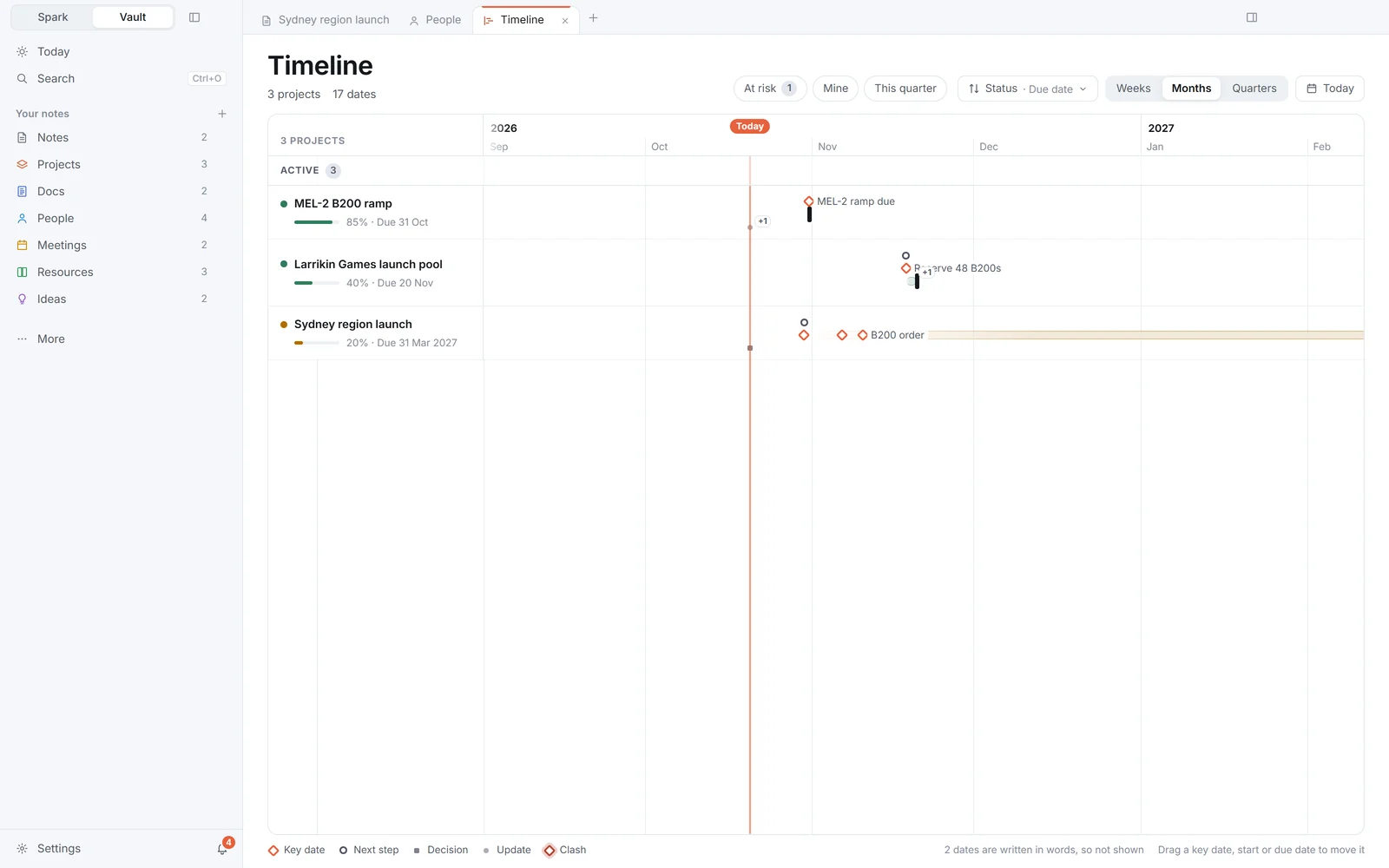
Tables, boards, timelines and a graph.
Any folder or tag as a table, a board or a calendar; drag a card or a date and the note changes with it. A timeline lays out every project’s dates, and the graph shows what connects to what.
Built to keep, and quick to tidy.
Your colours, your type
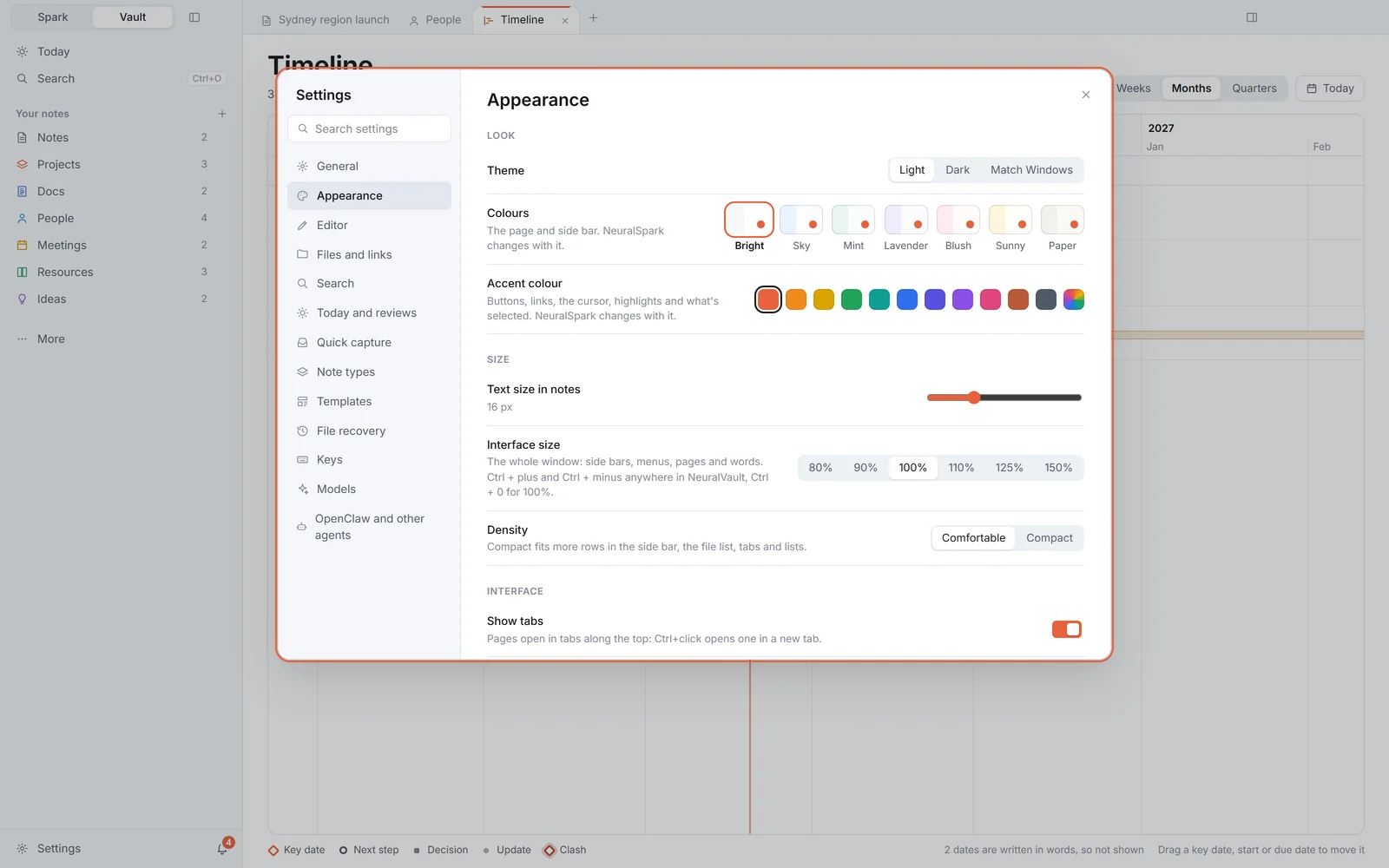
A bright look to start, six more palettes and any accent colour you like. NeuralSpark and NeuralVault change together, the moment you click. Any note can have its own font and text size.
Private notes
Encrypted, and opened only with Windows Hello or your recovery password. Nothing else reads them.
Quick to tidy
Delete a note from its row in a table, a card or with the Delete key, and Undo brings it back.
Cells that help
Table cells edit in place and suggest what the column already holds.
Reminders
Ask it to remind you and it does, on time, in both apps and on Today.
Progress reports
NeuralSpark writes one from the project page as a PDF, Word document or slides, following your own template.
PDFs with highlights
Read them in NeuralVault and highlight as you go; your highlights are kept in a note beside the PDF.
Quick capture
Ctrl+Alt+N captures a note, a task or part of the screen from anywhere in Windows.
Tasks
Every tick box in your notes in one Tasks view, by when it’s due, its project or the people it names. Tick it there and the note changes too.
Best match first, and related notes
Search puts the closest match at the top. Beside any note, Related notes lists the ones most like it and why, worked out on your PC.
Templates that ask
A template can ask for a client’s name or a budget as you make the note. Capture to (Ctrl+Shift+J) adds a dated line to a project’s log.
Drawings
Sketch with a pen or a mouse: shapes, arrows and labels, kept as a drawing beside your notes and exported as SVG or PNG.
Plain files. Your folders.
Your notes are Markdown files in folders on your PC, with links between them, Canvas, tabs and side-by-side panes. Nothing is locked into NeuralVault.
Synced folders
It shows whether your notes are only on your PC or in a synced folder such as OneDrive, moves them when you ask, and offers to open them on a new PC.
Search inside documents
Search reaches inside the documents in your project folders on your PC.
Brand kits
Its asset store keeps your logos, colours and fonts, and NeuralSpark uses them when you ask for a report in your brand.
Earlier versions
Suggested edits wait for you, and earlier versions show who changed what.
One switch
Spark and Vault sit at the top of both apps, one click apart, with one bell for both.
Your agents
With NeuralSpark running, your OpenClaw agents can use your vault under one access setting for them all.
Save pages from the web
From NeuralSpark’s browser, save a clean copy of a page to NeuralVault: the article, a recipe or a product’s price, with your highlights.
Backup and sync
Back up your notes with Git on a schedule, to a server, a NAS or a USB drive, or keep PCs in step through an end-to-end encrypted folder.
From anywhere on your PC
The neuralvault command and neuralvault:// links open, search and add to your notes from PowerShell, scripts and other apps.