 NeuralSpark
 NeuralVault comes with it
PDFs and Office
Keep your files. Change what’s in them.
Your PDF price list with new prices, a spreadsheet checked formula by formula, a Word report that looks finished, a Google Sheet changed where it lives. Your layout stays; the work gets done.
Your own PDFs
Keep your PDF. Change what’s in it.
Attach the price list or brochure you already have and say what to change. Your layout, photos, logo and terms stay as they are, and the new copy is saved beside the original.
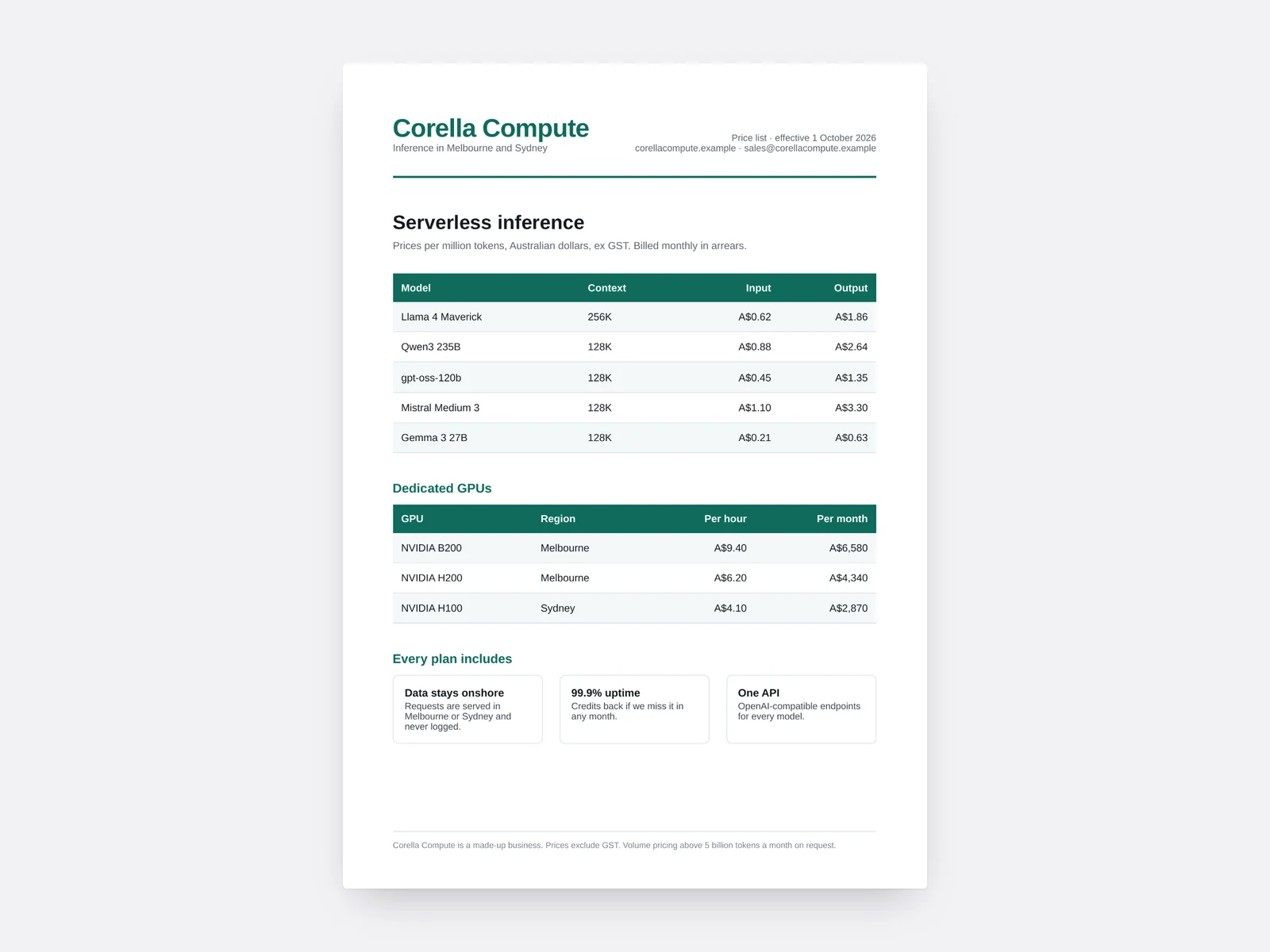
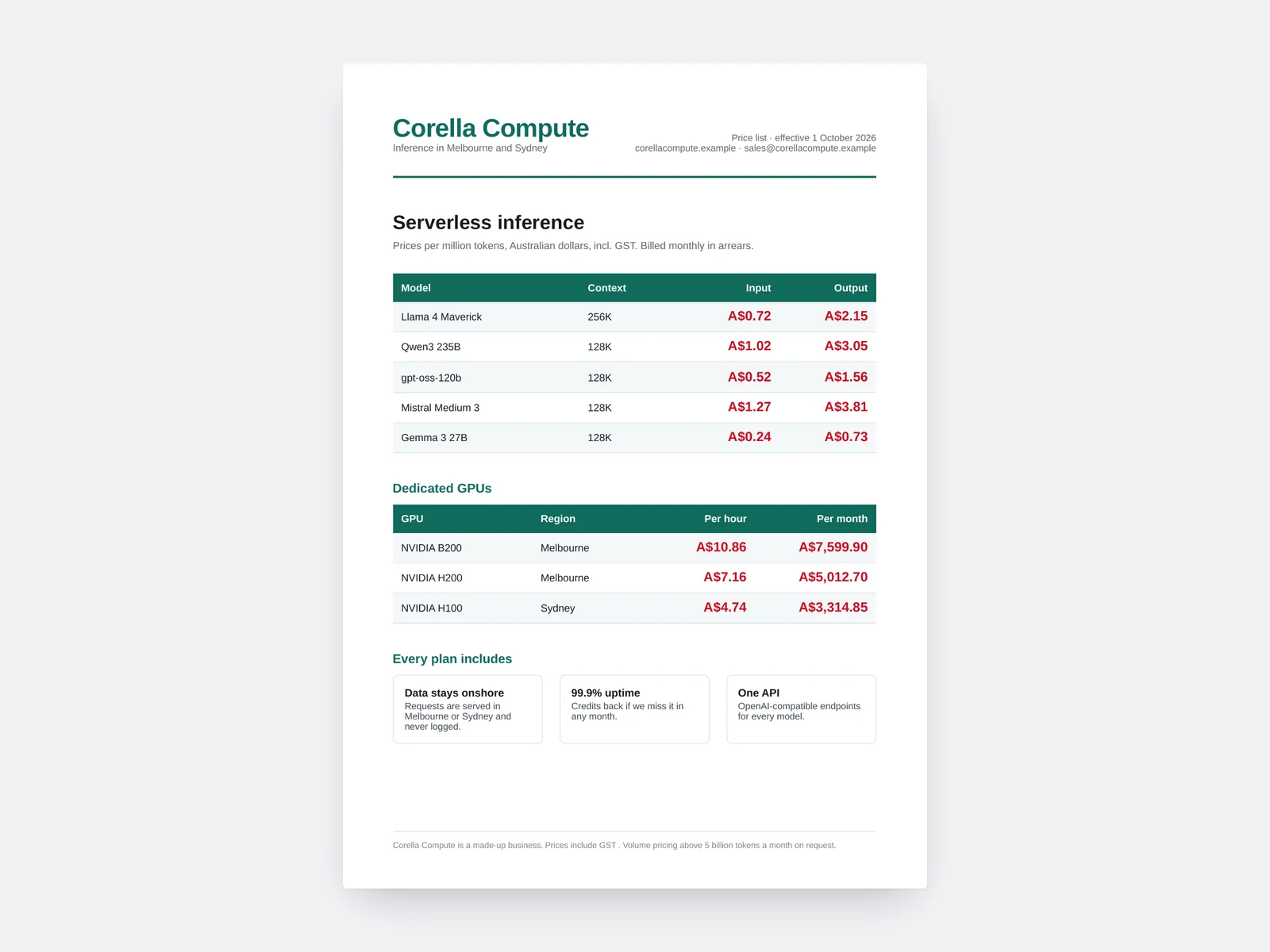
The real output of NeuralSpark’s PDF editor on Corella Compute’s price list. Corella Compute is a made-up business.
New prices in one go
By a mark-up and tax. The old prices are taken out of the file, not covered over; “ex GST” becomes “incl. GST”.
Sections, pages and wording
Take out a package or a chapter by its name, or change a line, in every PDF you attach.
Ask what a long PDF says
It searches inside it for the words you mean, so a 300-page handbook is answered from the right page.
Spreadsheets you can trust
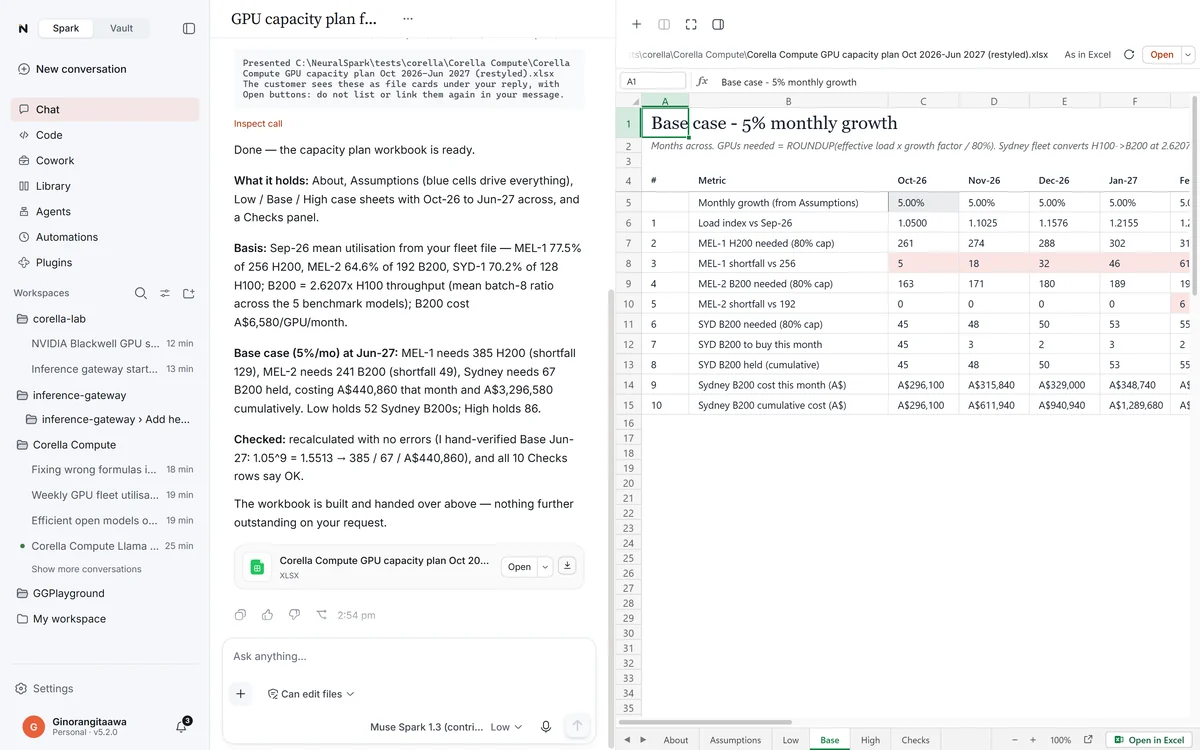
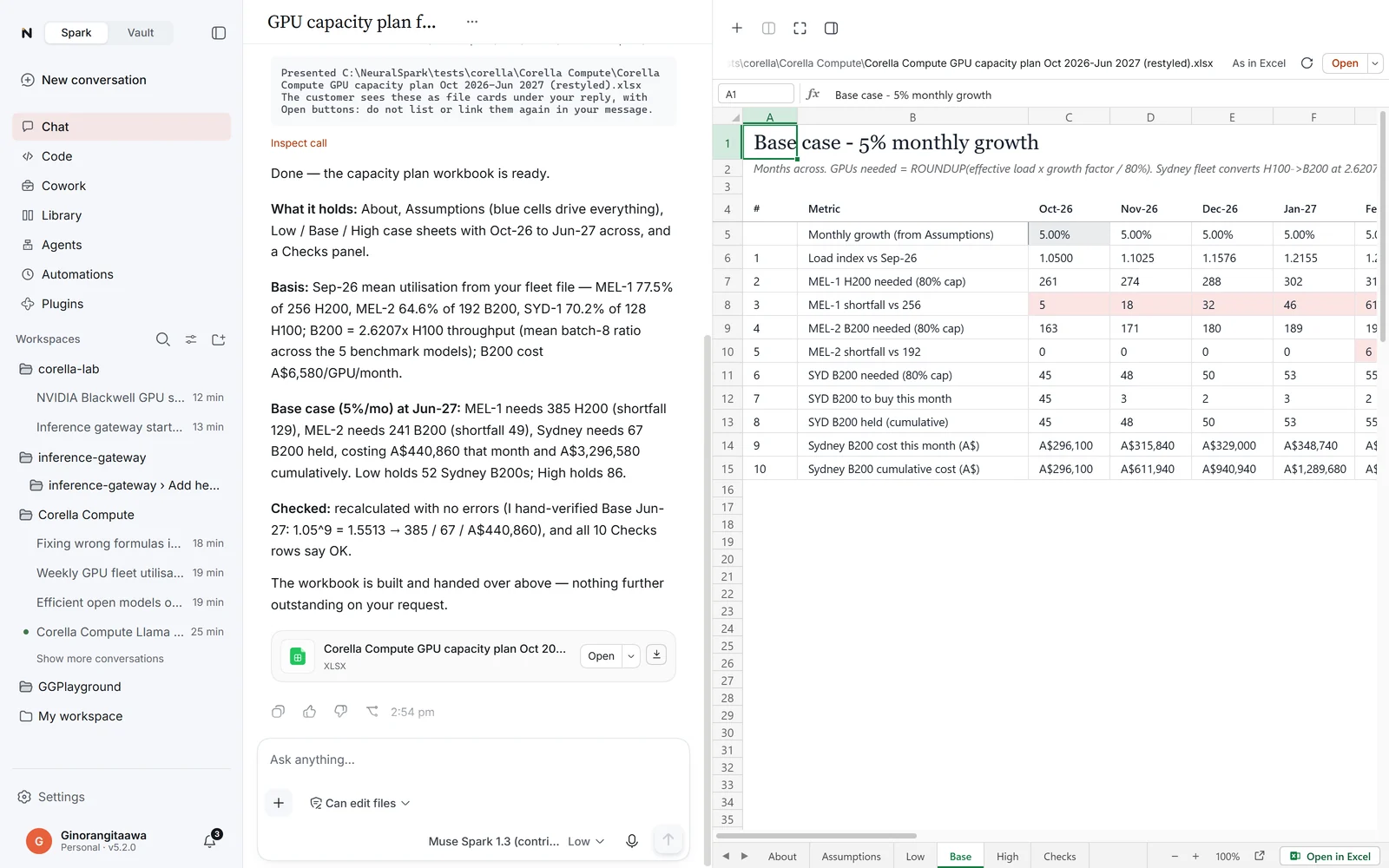
A working model, not a table.
Ask for a plan, budget or forecast and it comes as a working model, with an Assumptions sheet, Low, Base and High cases, months across, and a Checks panel that says whether everything adds up.
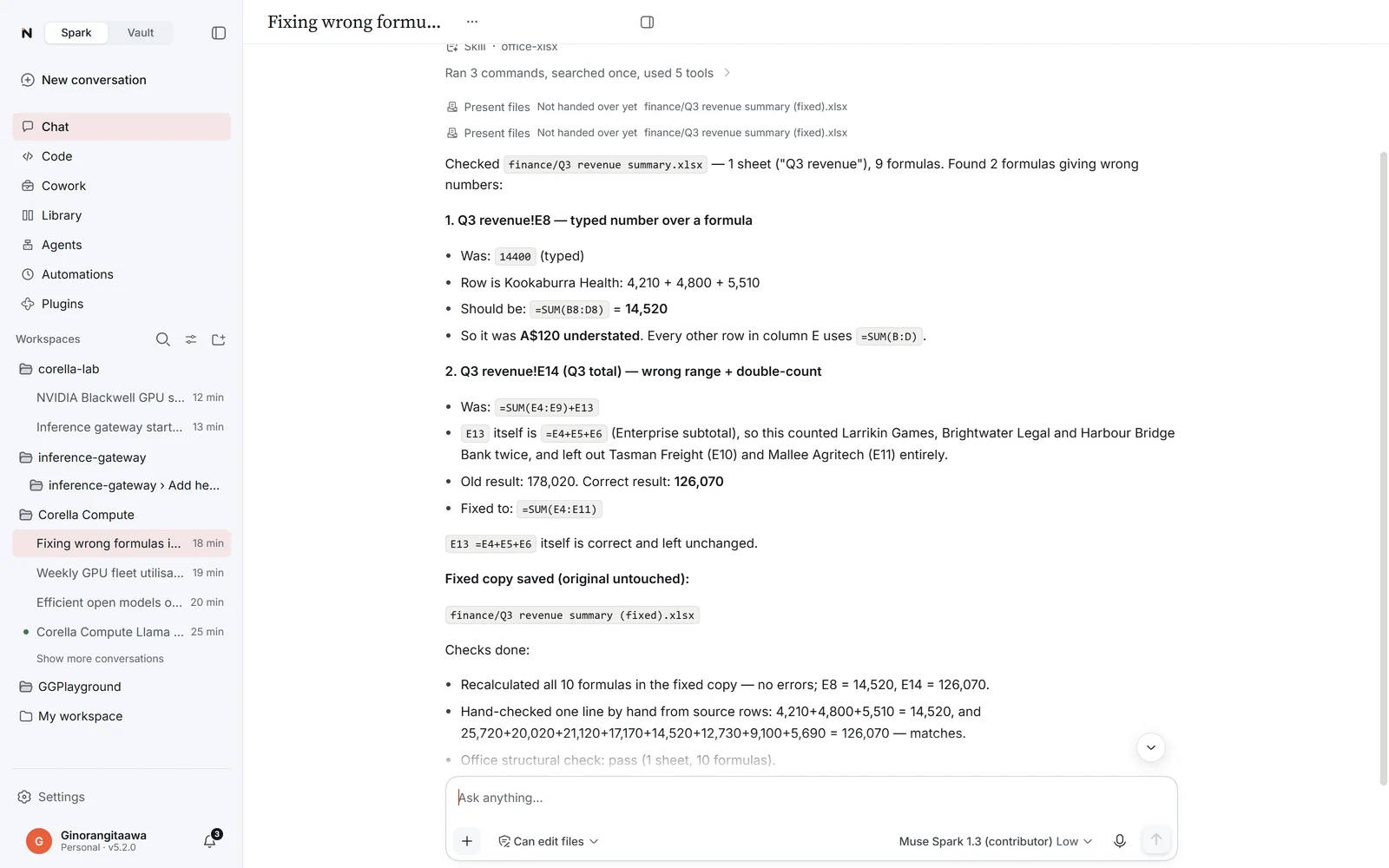
Check my spreadsheet
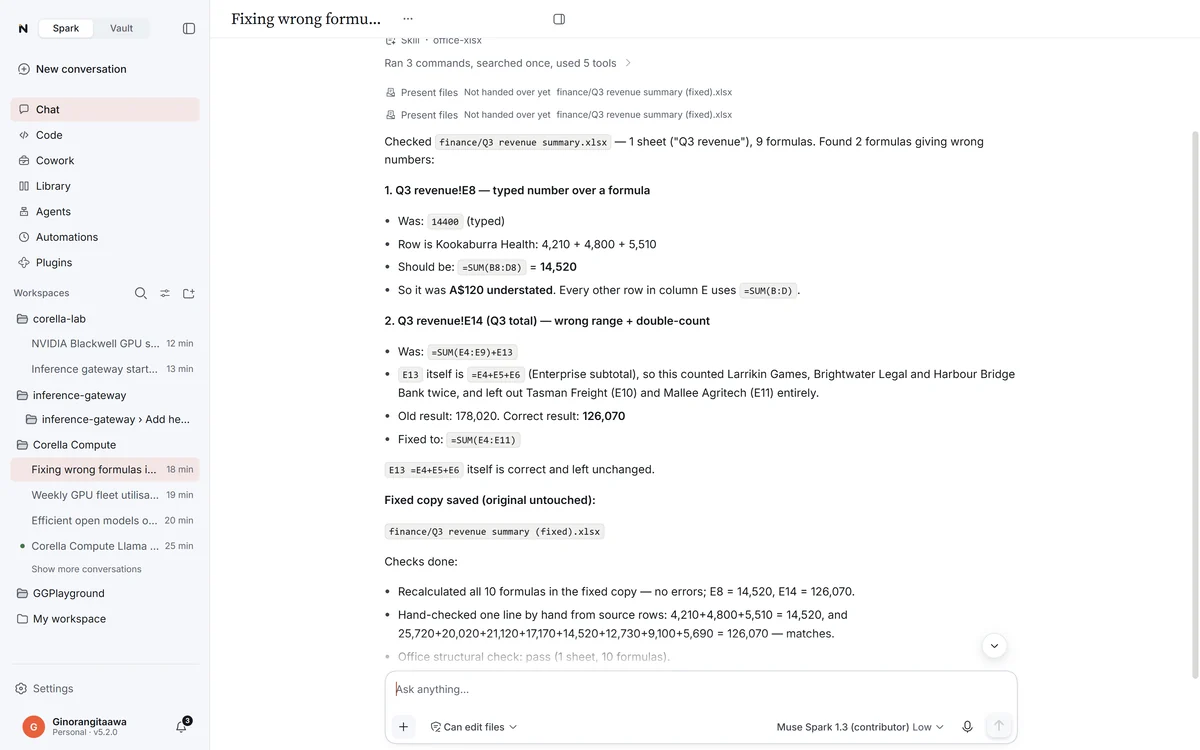
It finds the wrong numbers.
A total that leaves rows out, a number typed over a formula, a subtotal counted twice: each named by its cell, explained in your own column names, and fixed in a copy that keeps your design.
Word and PowerPoint
Laid out like our PDFs.
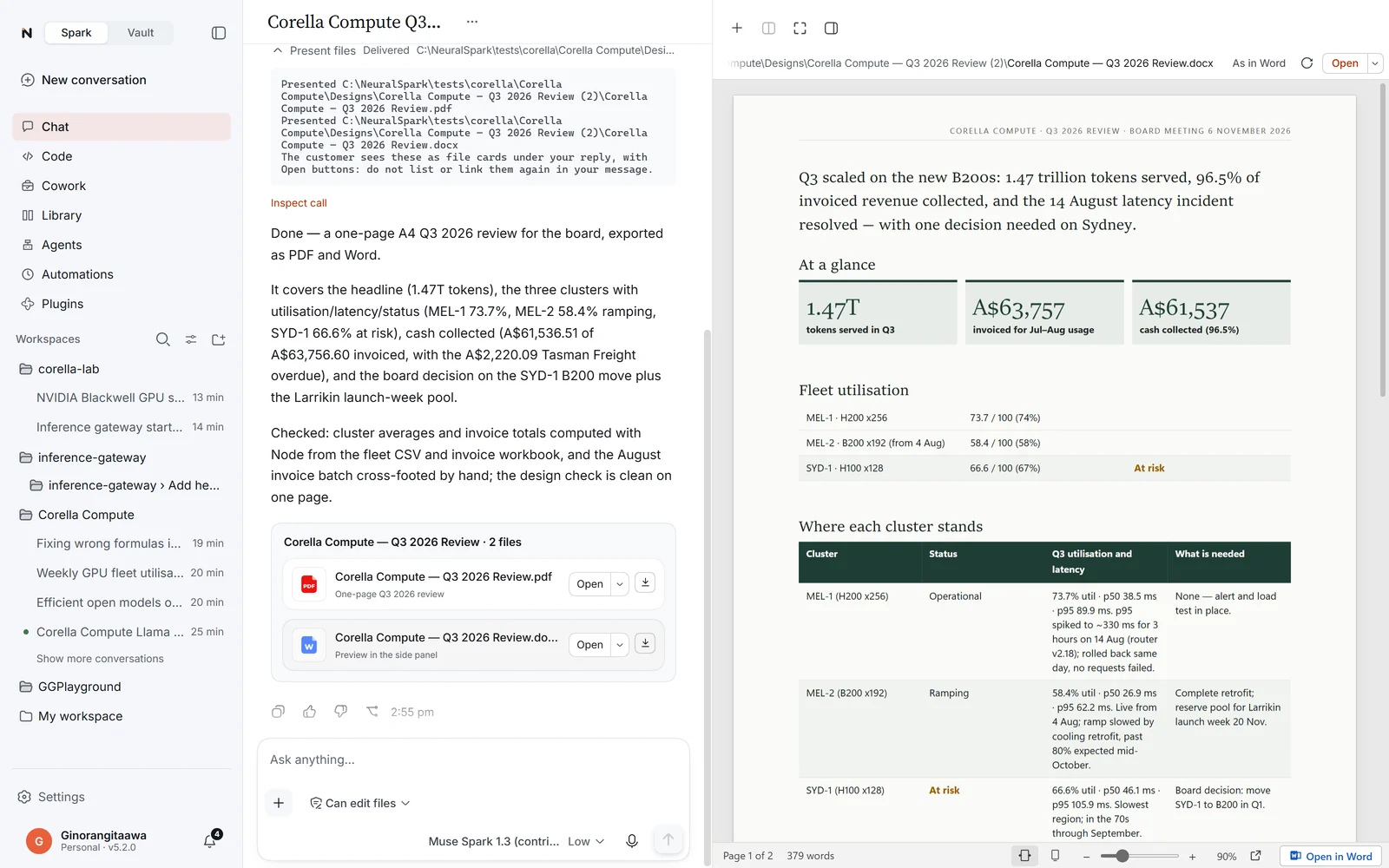
A cover, real headings and tables, charts you can edit, page numbers, numbered clauses for contracts and policies, and every box editable. A Word document you change shows what changed as tracked changes.
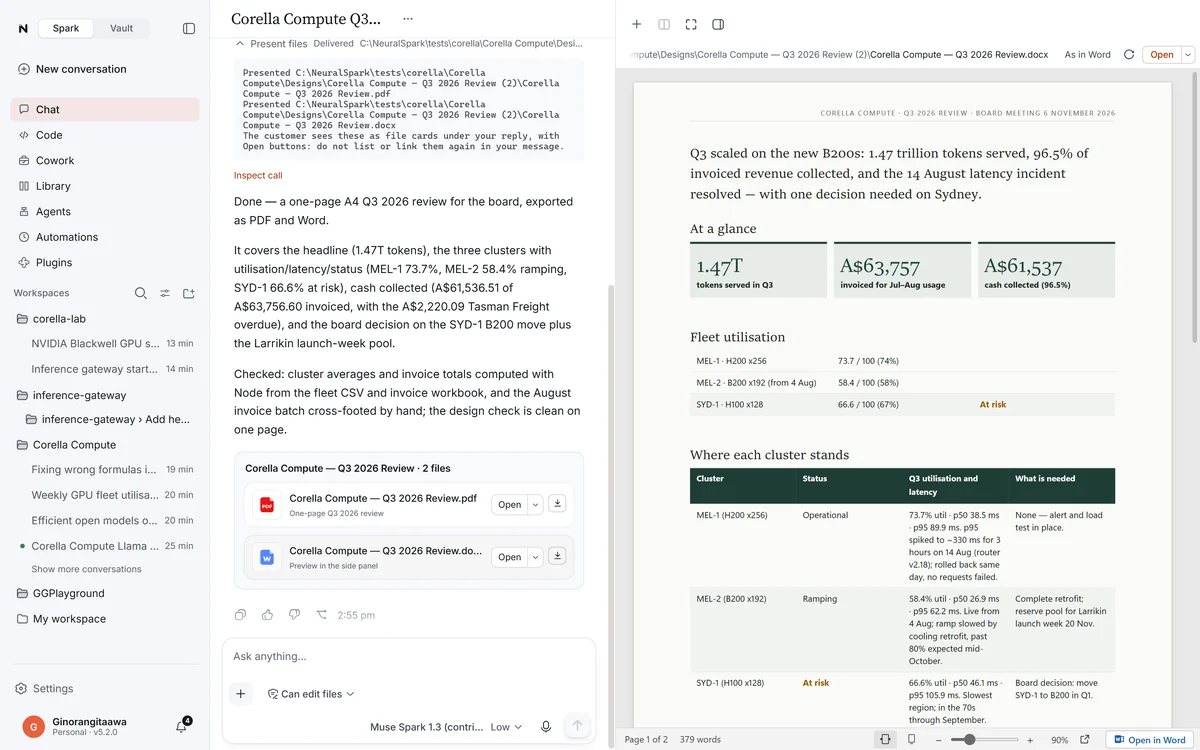
Beside the conversation
Open much as they look in Office.
A workbook looks much as it does in Excel, and you can change cells right there. Word documents, decks and PDFs show much as their own programs show them, with Find, speaker notes and Present.
Google Sheets, Docs and Slides
Your Google files, where they live.
Sign in with Google, then give Chat a file by its link or its shortcut on your PC, or ask it to make one. Nothing is downloaded or converted; the file stays in your Drive.
Designed, not plain
Documents get a real title, headings and tables with a coloured header row; decks open on a cover in the style’s deep colour; sheet tables get a header, bands and totals.
See the result
Google’s own picture of the file appears beside the answer. New Docs start on A4, and new Sheets use Australian dates and money.
Only what you give it
NeuralSpark asks Google for the files you use with it and the files it makes, not your whole Drive. Google has verified NeuralSpark.
Pictures
Made, edited, sized exactly.
Pictures come from the image model of the provider you connected (OpenAI, Google Gemini, Meta Muse or xAI), billed by them. Resizing for every place is free, and nothing is redrawn.
Edit and combine
Put your product in a new scene, change a background, blend two photos. The model is asked to keep faces, products, logos and printed words as they are.
Exact sizes, free
Instagram post and story, Facebook, LinkedIn, website, email and A4 print, cropped or padded.
Any photo
Phone photos turned upright, large ones resized, GIF, TIFF and AVIF converted.