 NeuralSpark
 NeuralVault comes with it
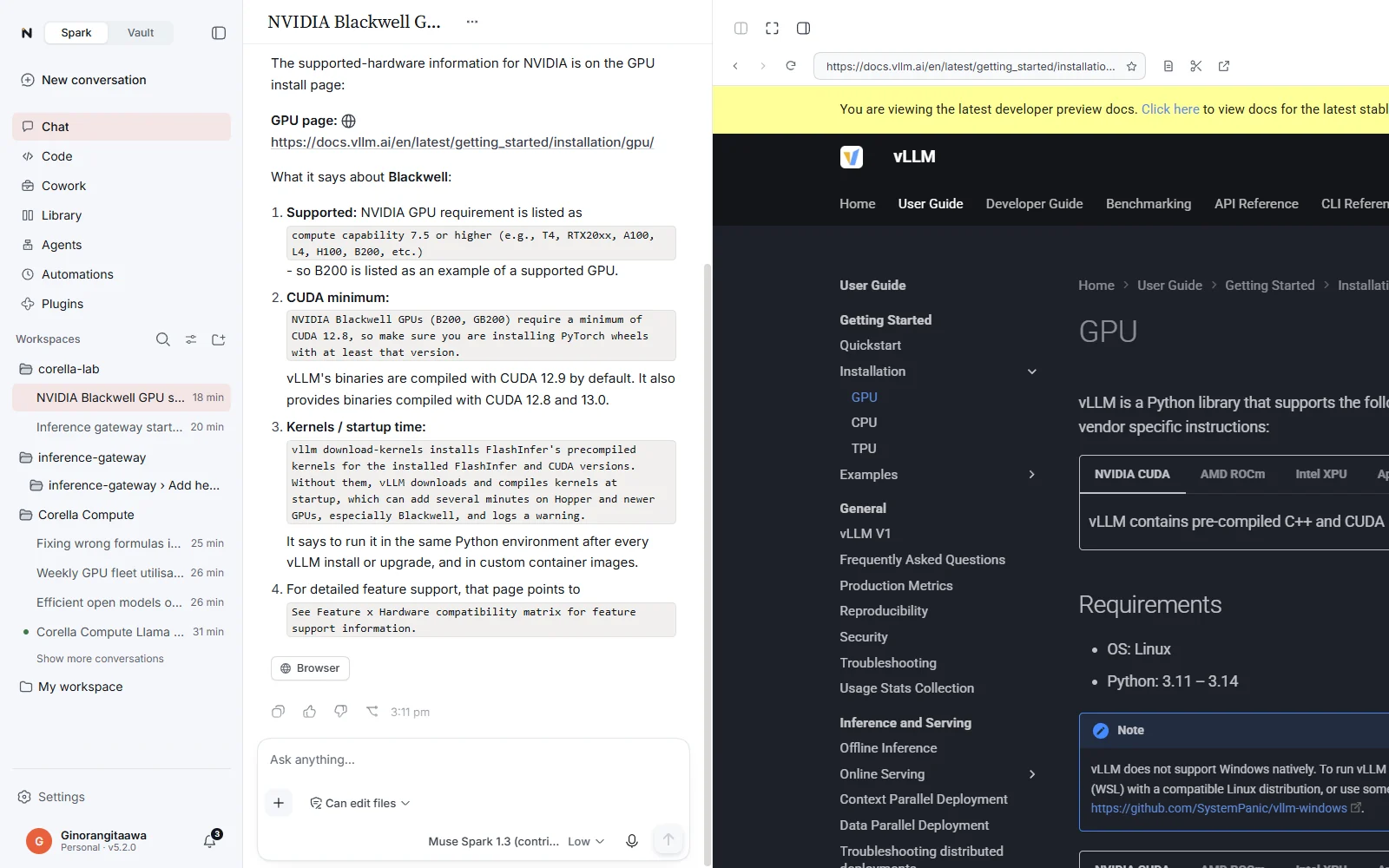
The NeuralSpark browser
It uses websites while you watch.
Beside the conversation in Cowork, Chat and Code, or in a window of its own on a second screen. A soft glow round the page shows when NeuralSpark is in control, and you can take over at any time.

It does what you would do on a page.
Reads, clicks and fills in
It reads pages, clicks, types, fills in forms, reads tables and lists of products, results or listings, and downloads into the task’s folder. Code uses it to test a website it built.
Your turn
When a page needs you, such as a password, a code or a check that you are human, it says Your turn and carries on once you hand it back. It never types your passwords.
Asks first
Before it sends a form, buys, pays, books, posts, uploads or deletes anything. Settings can limit it to the sites you list.
Keys, menus and history
It presses keys and shortcuts, uses right-click menus, zoom, the history, favourites and downloads, and answers a page’s pop-up questions as it works.
Snip to the chat
Snip part of a page and send it to the conversation, or take over and hand it back.
Your own tabs beside it
History, a downloads list, favourites and the search engine you choose. Bookmarks from Chrome, Edge or Brave come in as favourites, with your recent history; saved passwords and sign-ins stay behind. With Share my tabs and sign-ins on, it works in your own tabs too.