 NeuralSpark
 NeuralVault comes with it
The work, finished.
One window on your own PC. Answers with their sources, your code tested and committed, your servers over SSH, long jobs worked through in your folders, and the deck, report or web page designed and checked. On your own AI provider’s key.
- NeuralSpark 7.0.3 for Windows 10 and 11
- Bought once
- NeuralVault included
- Made in Melbourne
One window
All of it, in one place.
Chat, Code and Cowork side by side, your files and your servers beside them, and every step shown as it happens.
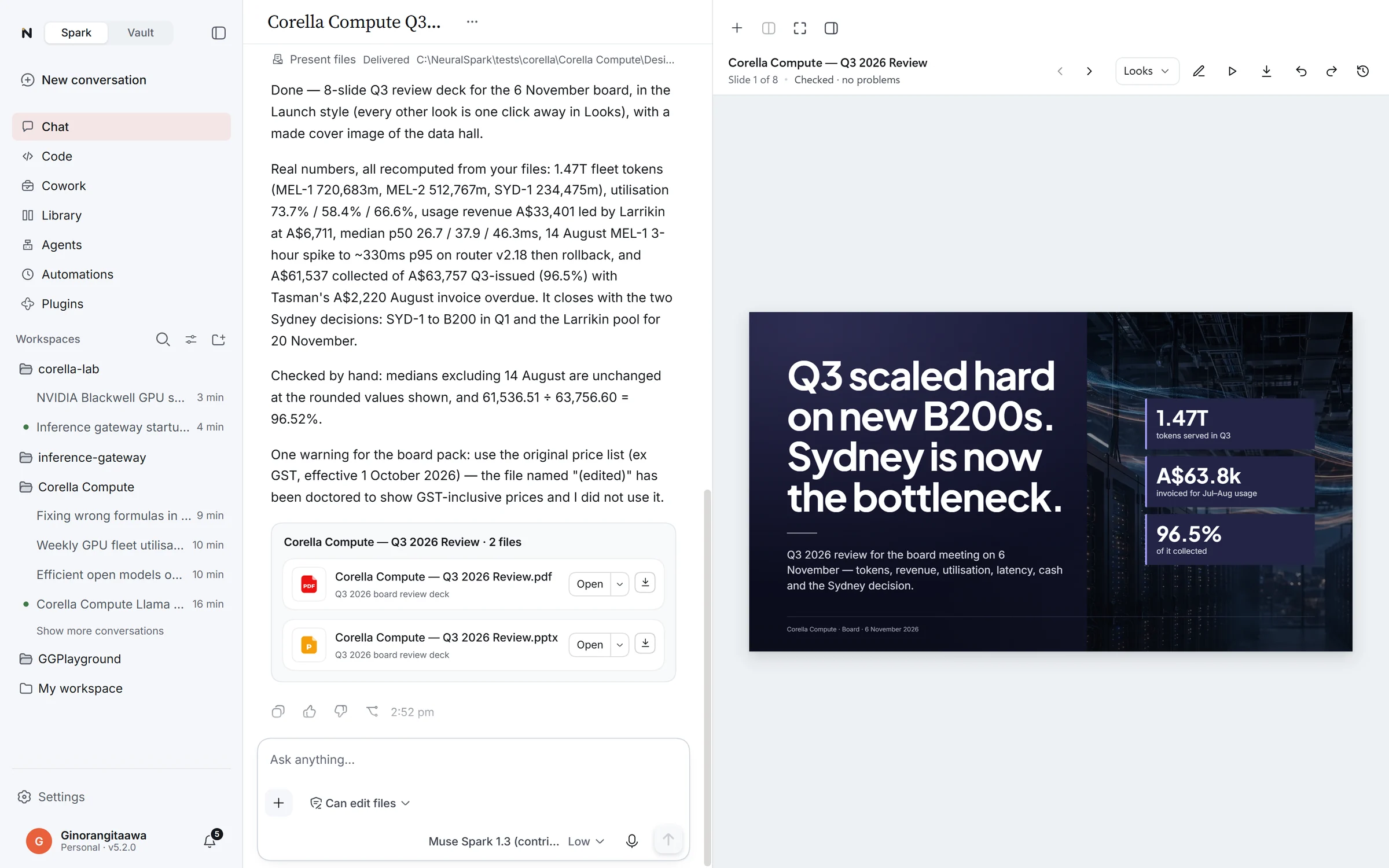
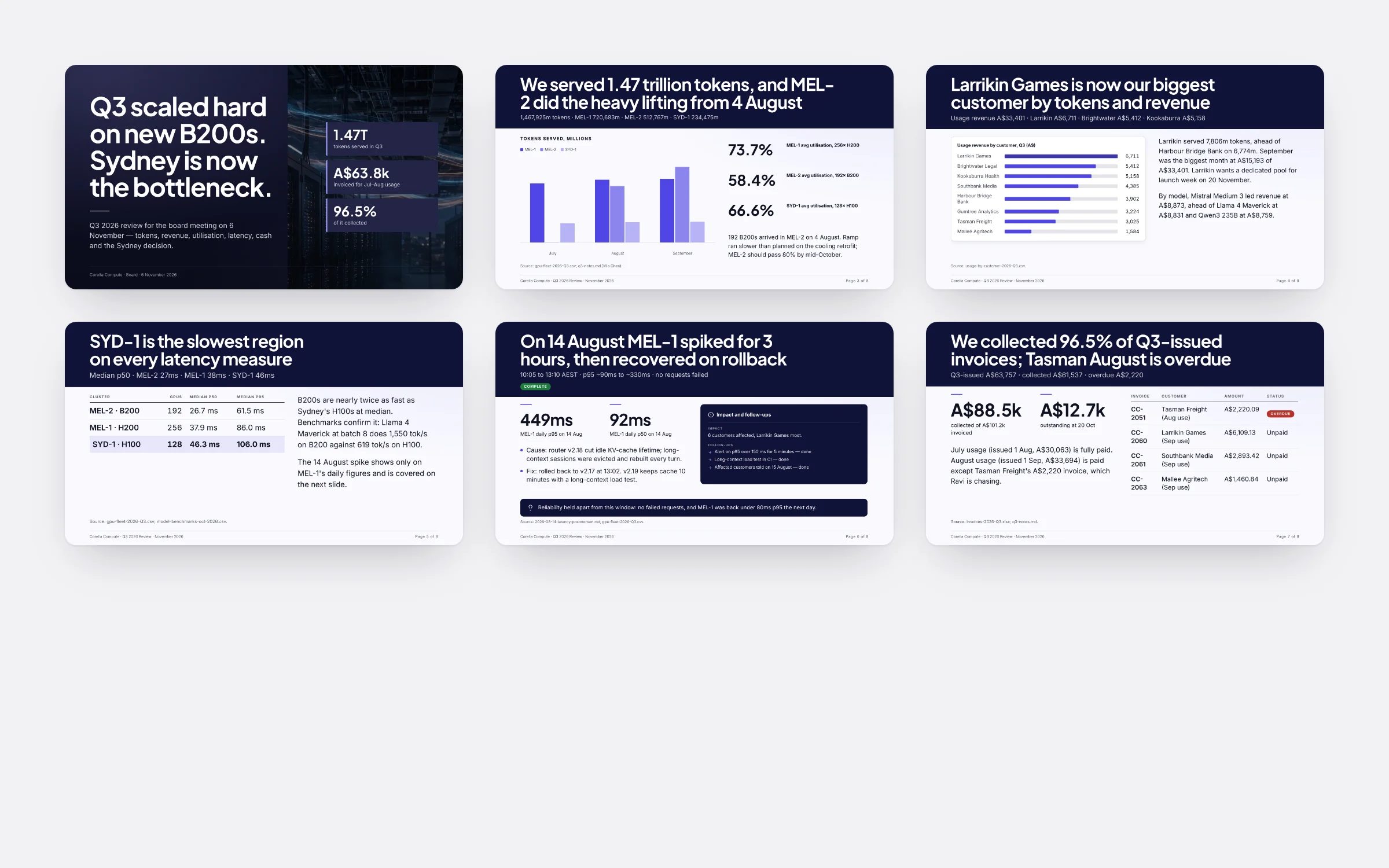
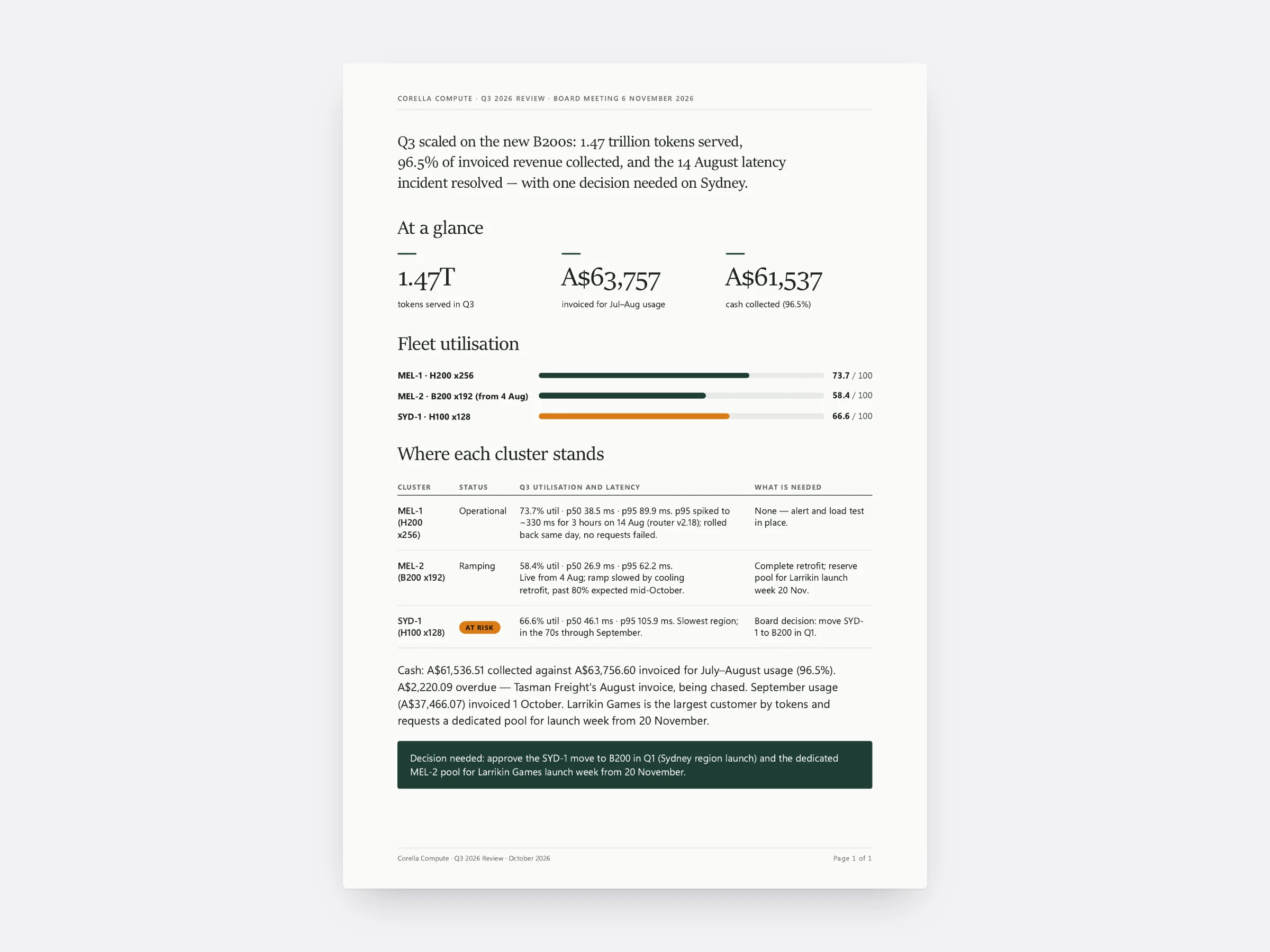
Corella Compute’s Q3 board review, designed from its own files. Corella Compute is a made-up business.
New · Project layouts
A page that fits the project.
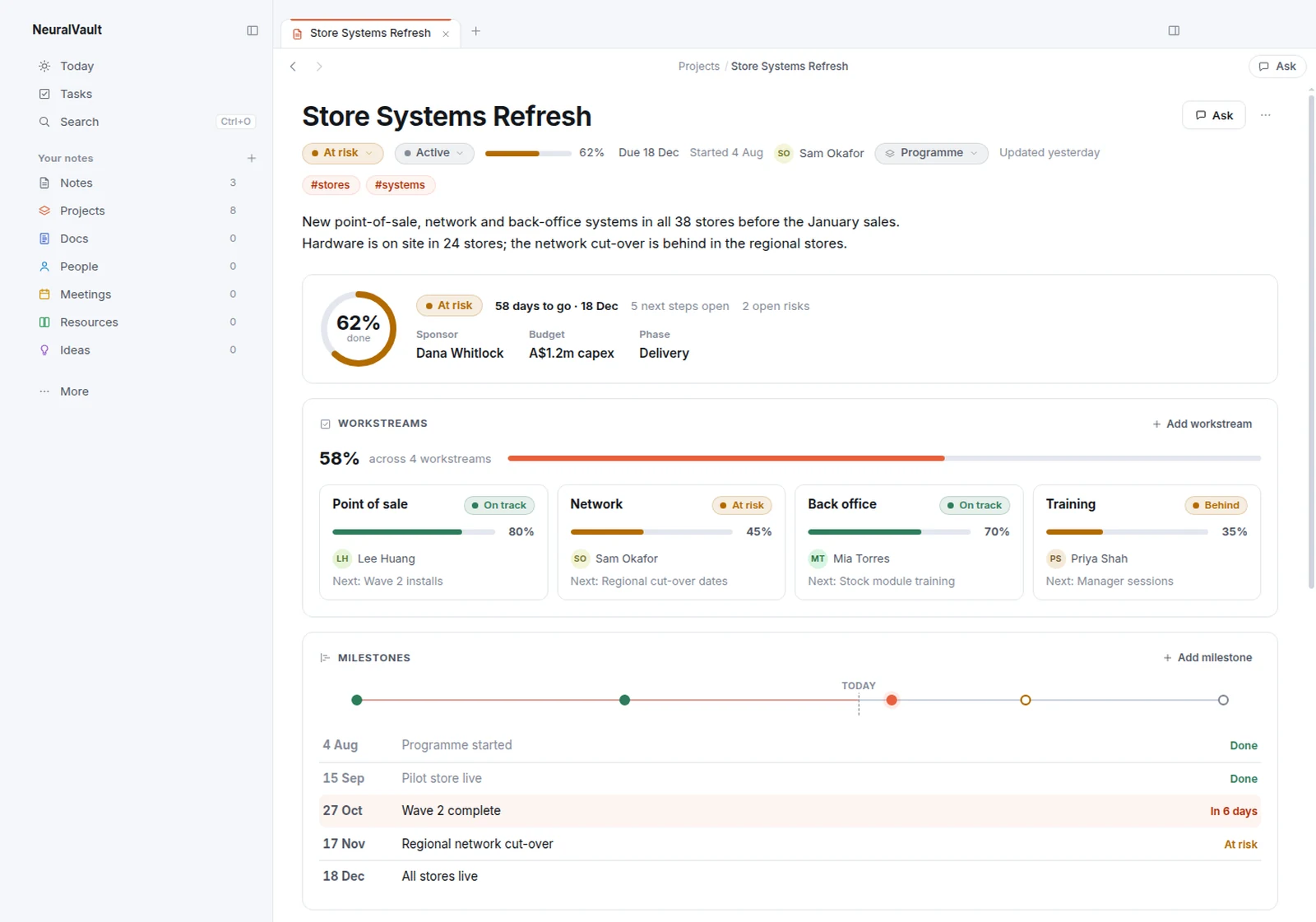
In NeuralVault, a project now opens with a dashboard made for its kind of work. It builds itself from the project’s own notes and changes the moment they do.
Made for the work
Six layouts to start: Programme, Site or event, Register, Tracker, Habit and Venture. A programme shows its progress, workstreams and milestones. An opening counts down to the day, with the run sheet by phase.
Kept up to date
NeuralVault suggests a layout from how a project is set up, or you build your own from the same blocks. Tell the side chat, or NeuralBot on Telegram, what happened and it goes in the right place: a log entry, a milestone, a row in the register.
Explore project layouts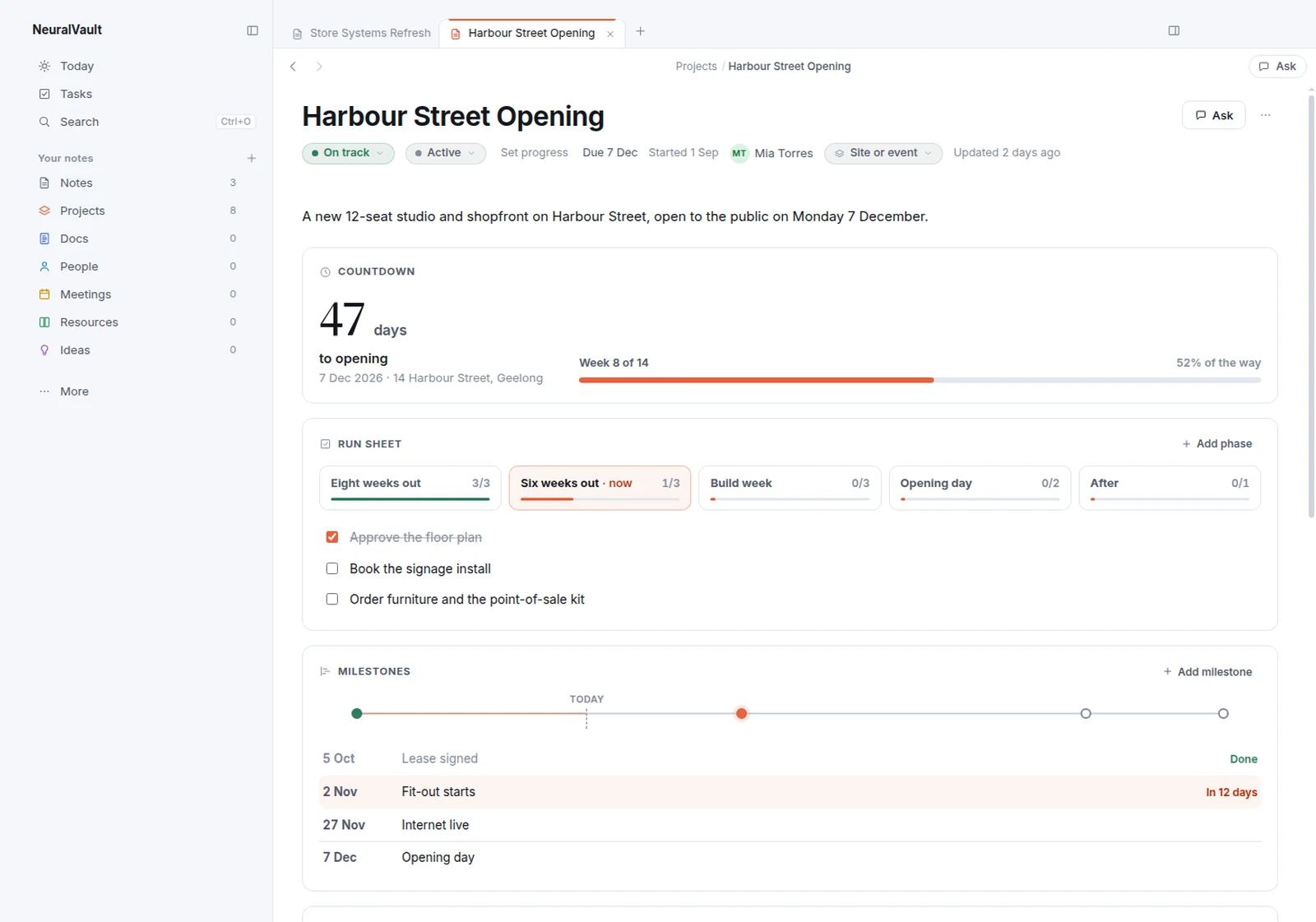
New · NeuralBot
Your chief of staff, on your phone.
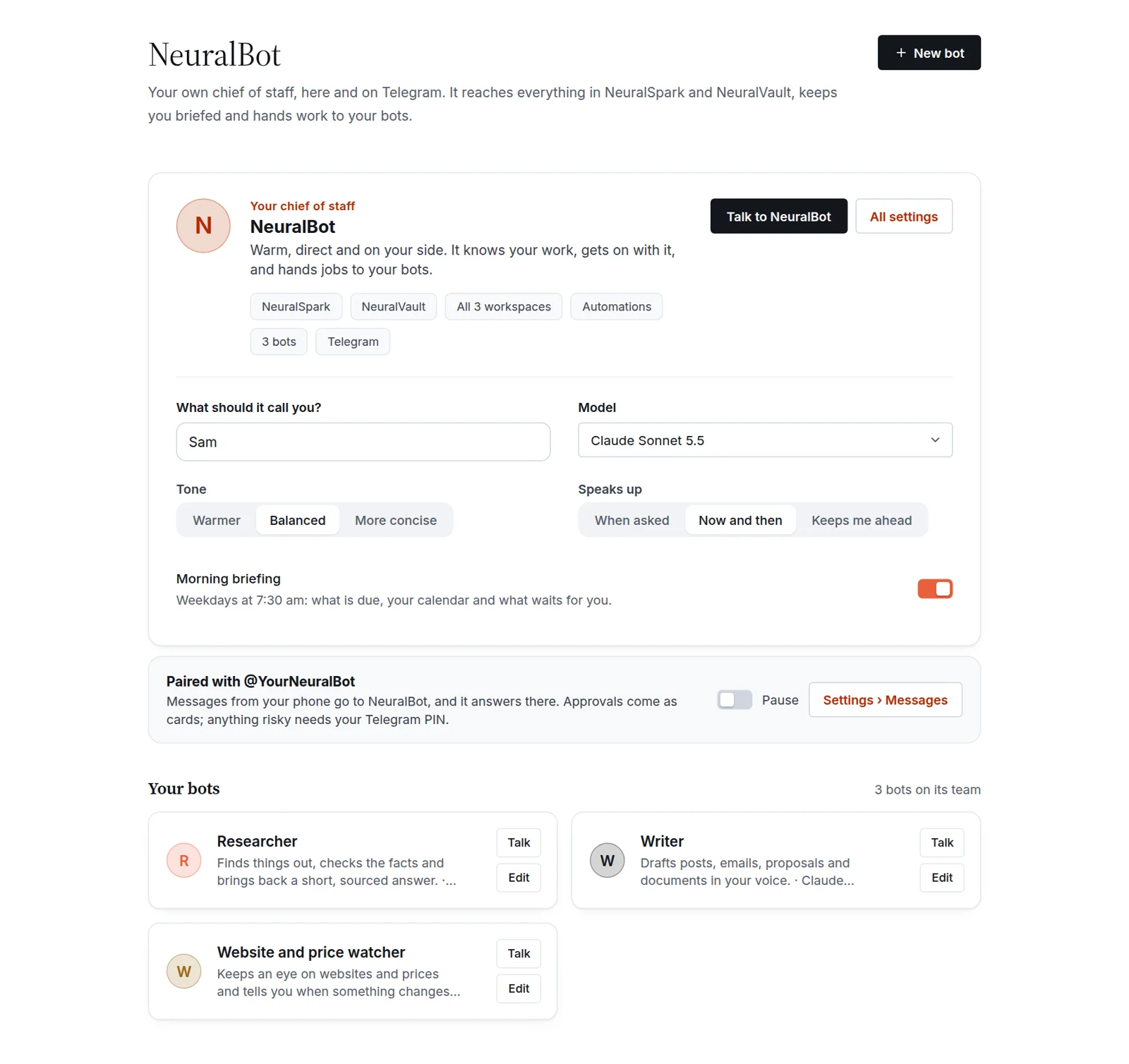
NeuralBot works on your PC with NeuralSpark and NeuralVault. Message it from Telegram and it does the job there: research, notes, reminders, automations and files, with the answer sent back to your chat.
Your bots
Make bots from templates: a researcher, a writer, an inbox and calendar helper, a coding helper, a vault keeper, a website and price watcher. Each has its own model, folders and memory, and NeuralBot hands them work.
From Telegram
Pair your own Telegram bot in Settings, then just message it. Ask anything, or use /today, /note, /remind, /vault, /automations and /approvals. Send it a file and it works on it; what it makes comes back as a file.
Only your chat can reach it. Risky steps ask for your PIN, and it never buys, pays or signs in for you from your phone. NeuralSpark needs to be open on your PC.
Explore NeuralBotGet to know NeuralSpark.
Chat
Answers you can check.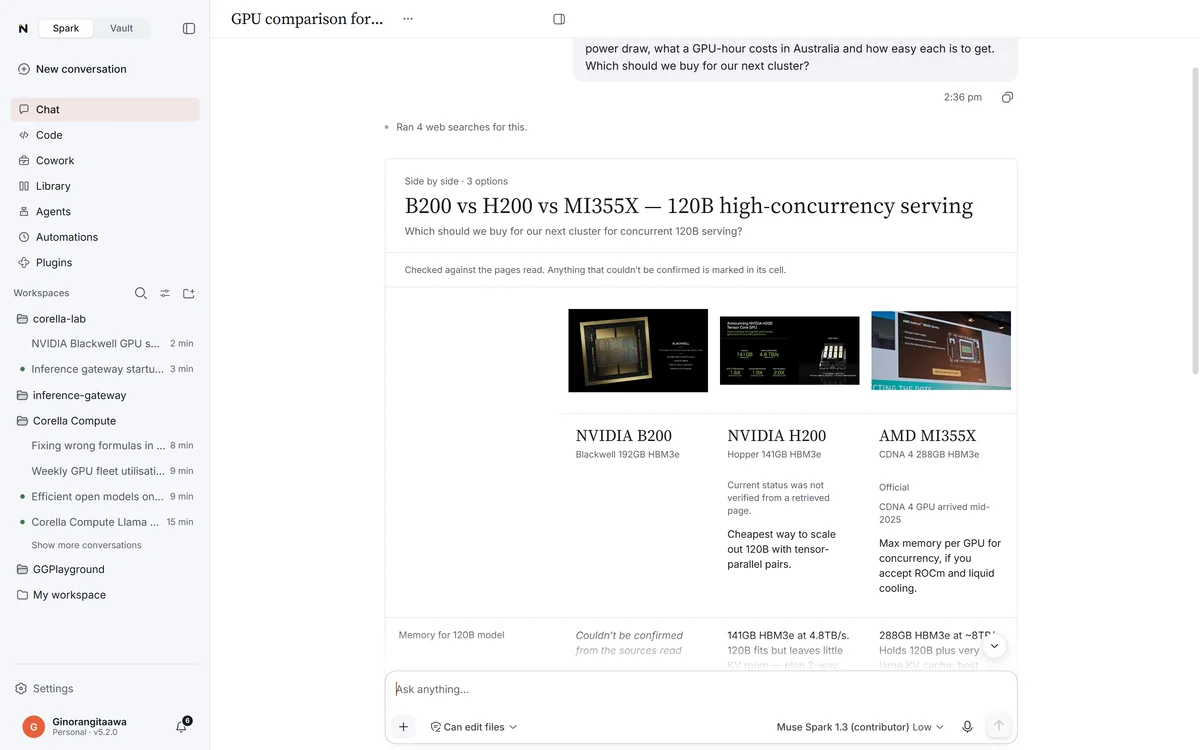
Code
Changed, tested, committed.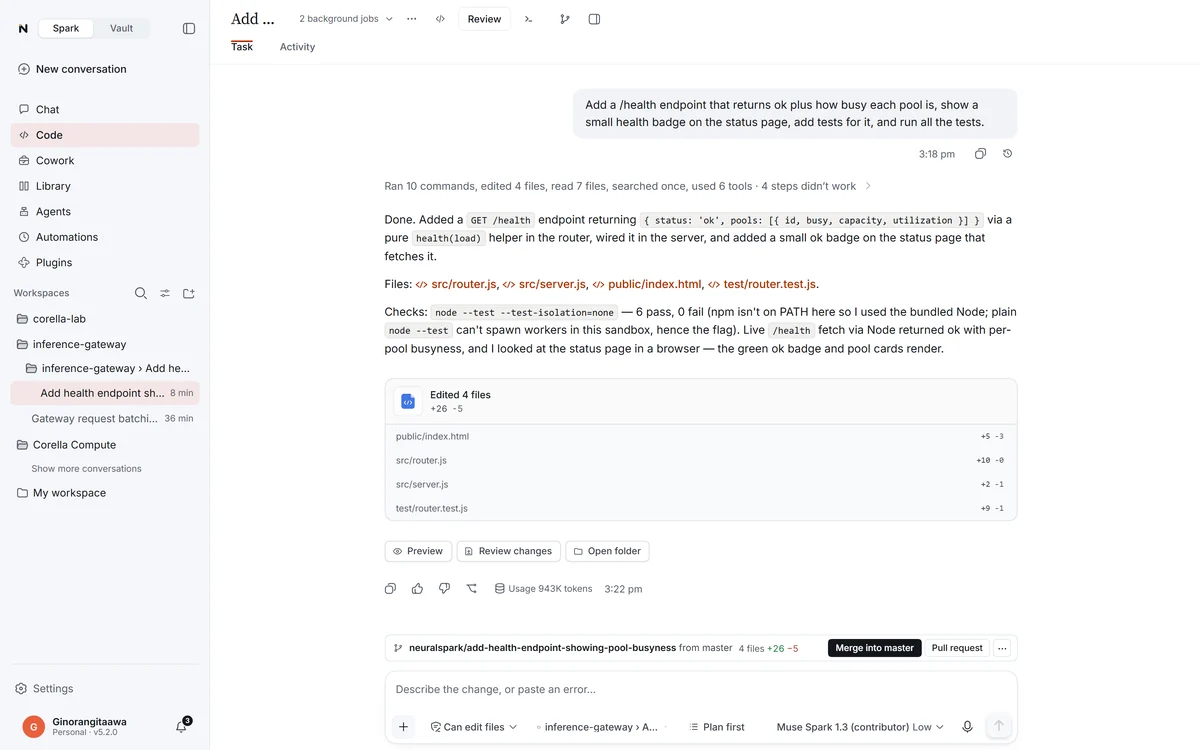
Cowork
A team for the long jobs.
Remote computers
Your servers, in the conversation.Design studio
Decks and reports, designed and checked.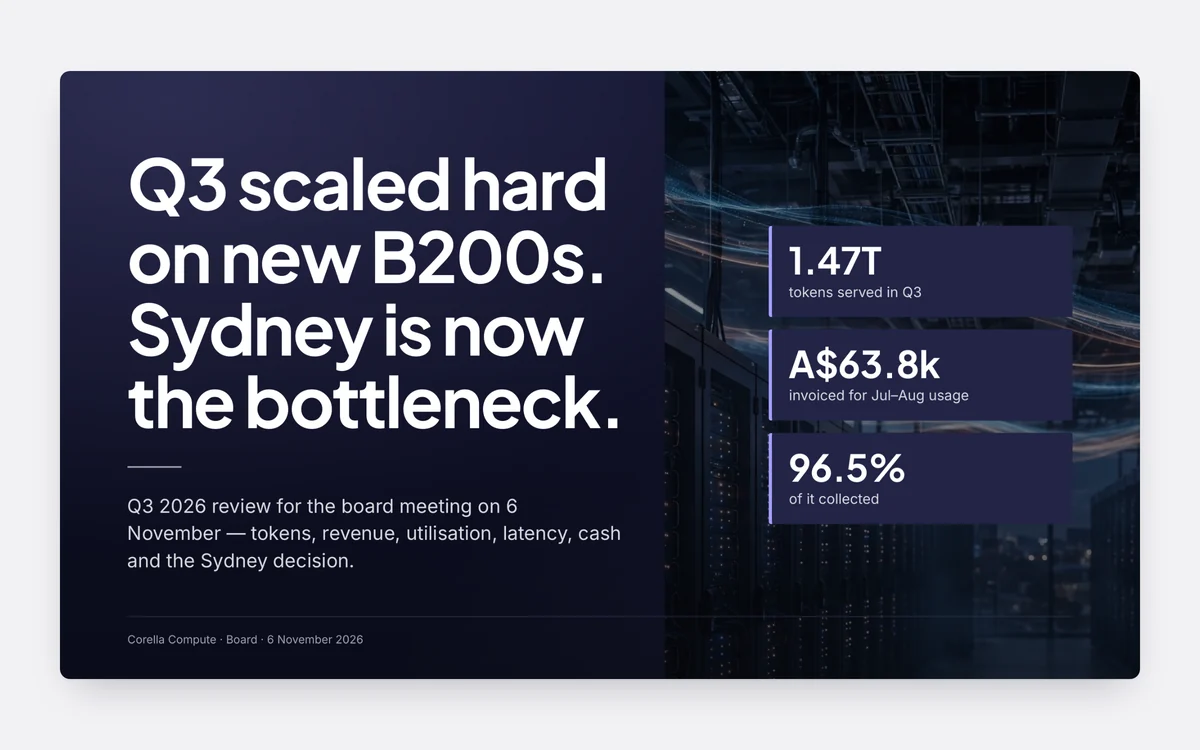

PDFs and Office
Keep your files. Change what’s in them.NeuralVault
Notes, and a page for every project.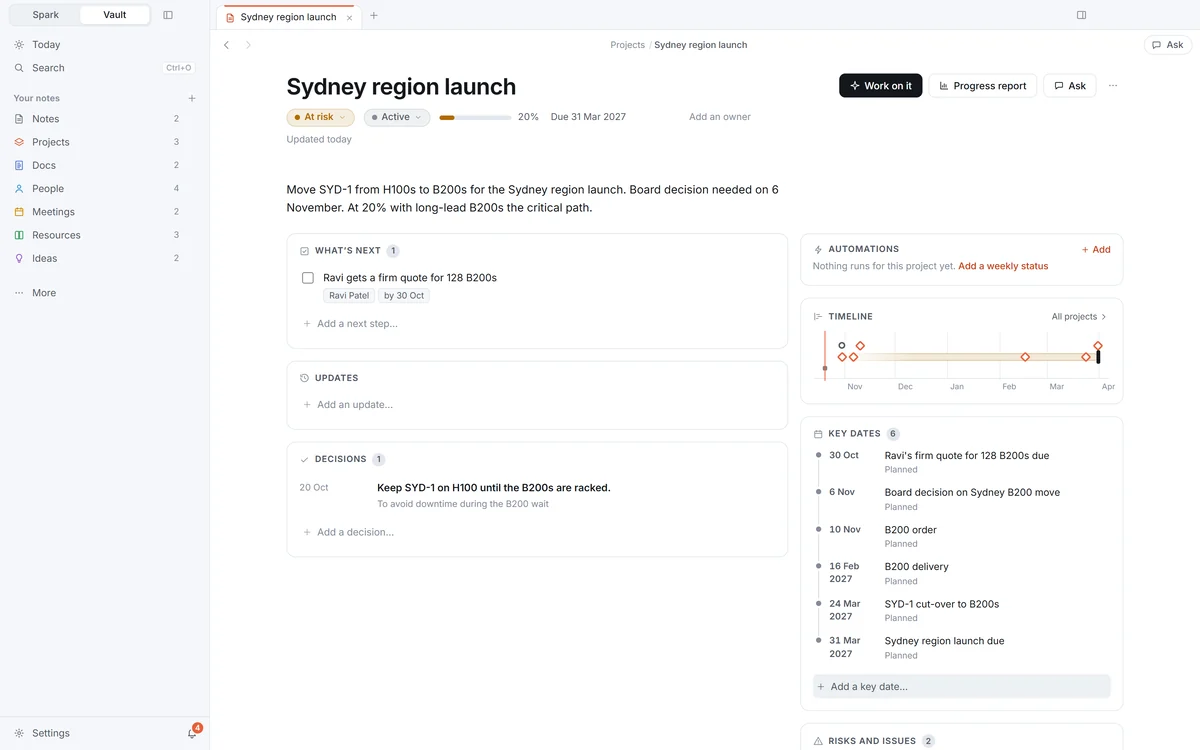

Browser
It uses websites while you watch.
Automations
Jobs that run by themselves.
Agents and connectors
Your agents, your tools.
Two apps, one licence
Work in Spark. Keep it in Vault.
Spark
Chat, Code and Cowork: ask, build and hand over the long jobs, with every step shown and nothing done without your say.
Explore Spark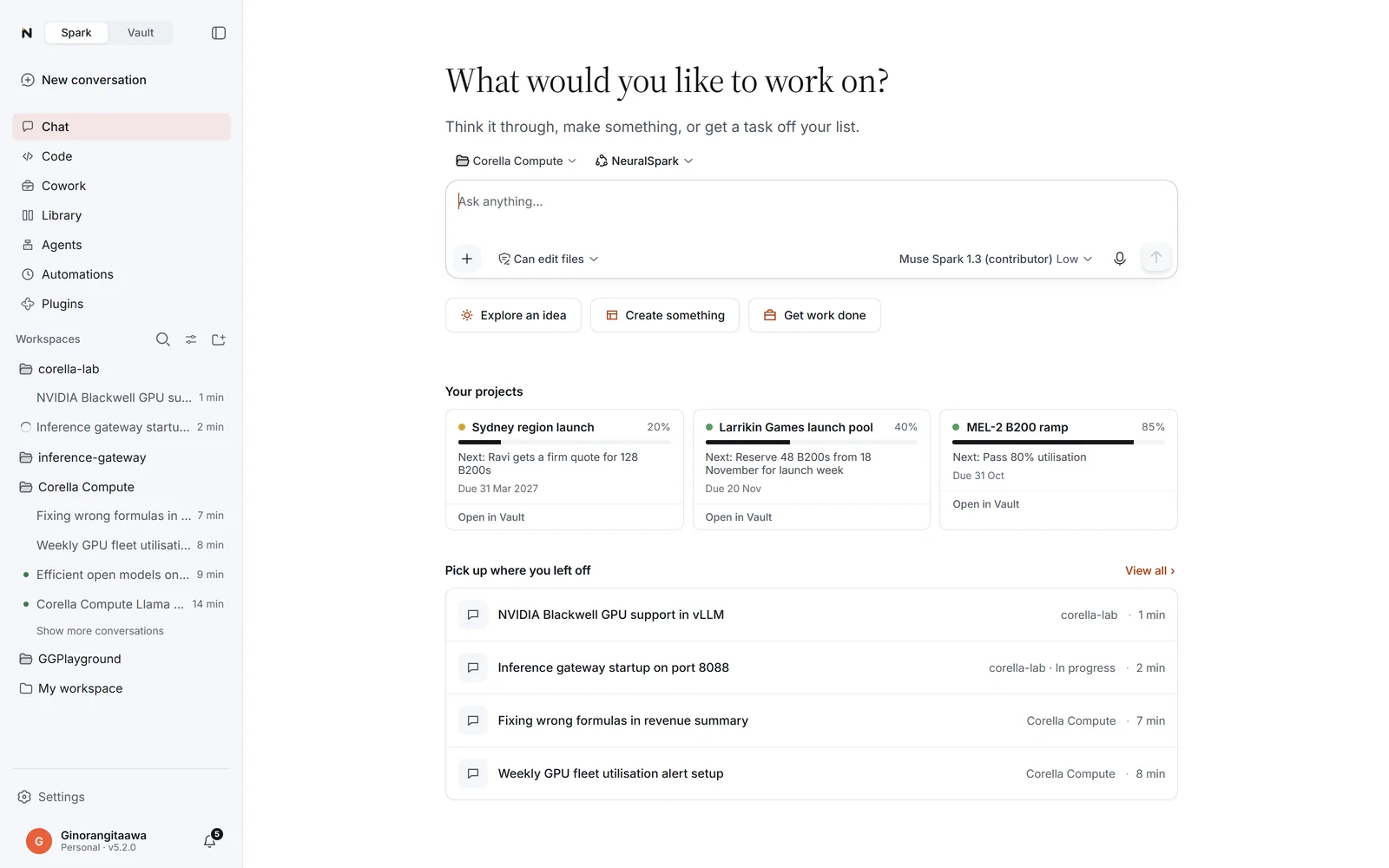
Vault
Your notes as plain files on your PC, a page for every project, people and meetings by type, and an assistant that keeps it all up to date.
Explore NeuralVault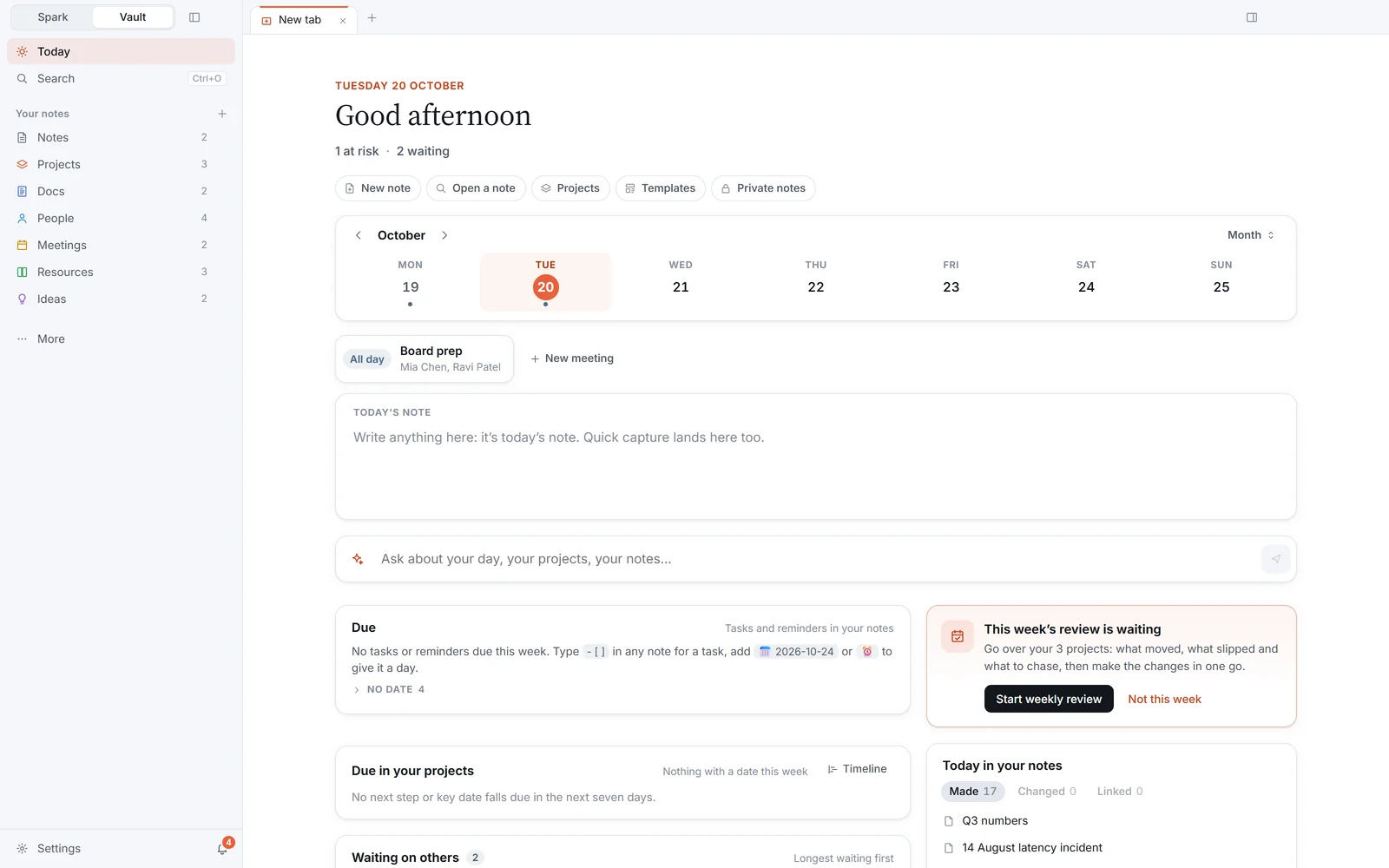
Made with NeuralSpark
One request. Every format.
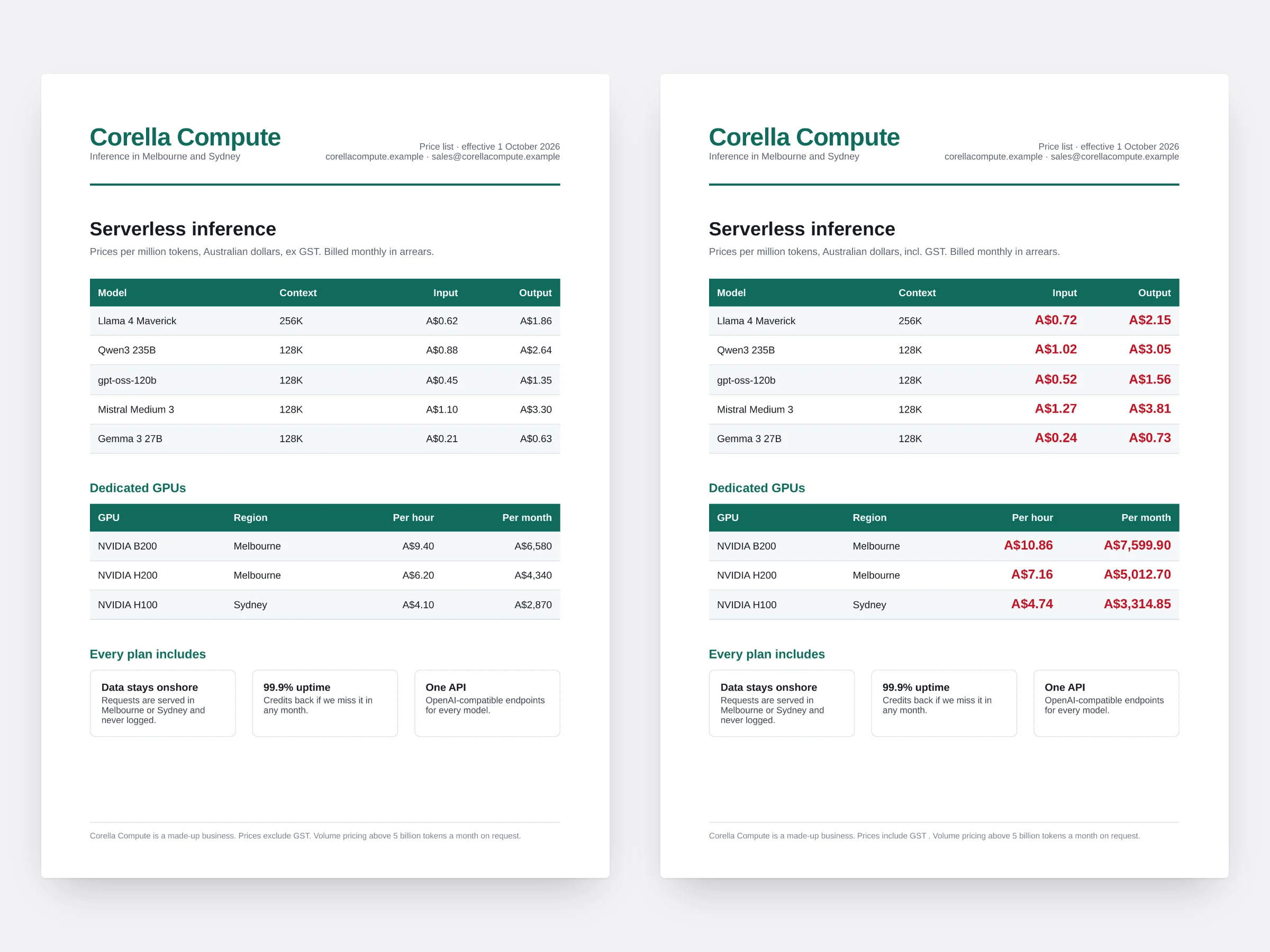
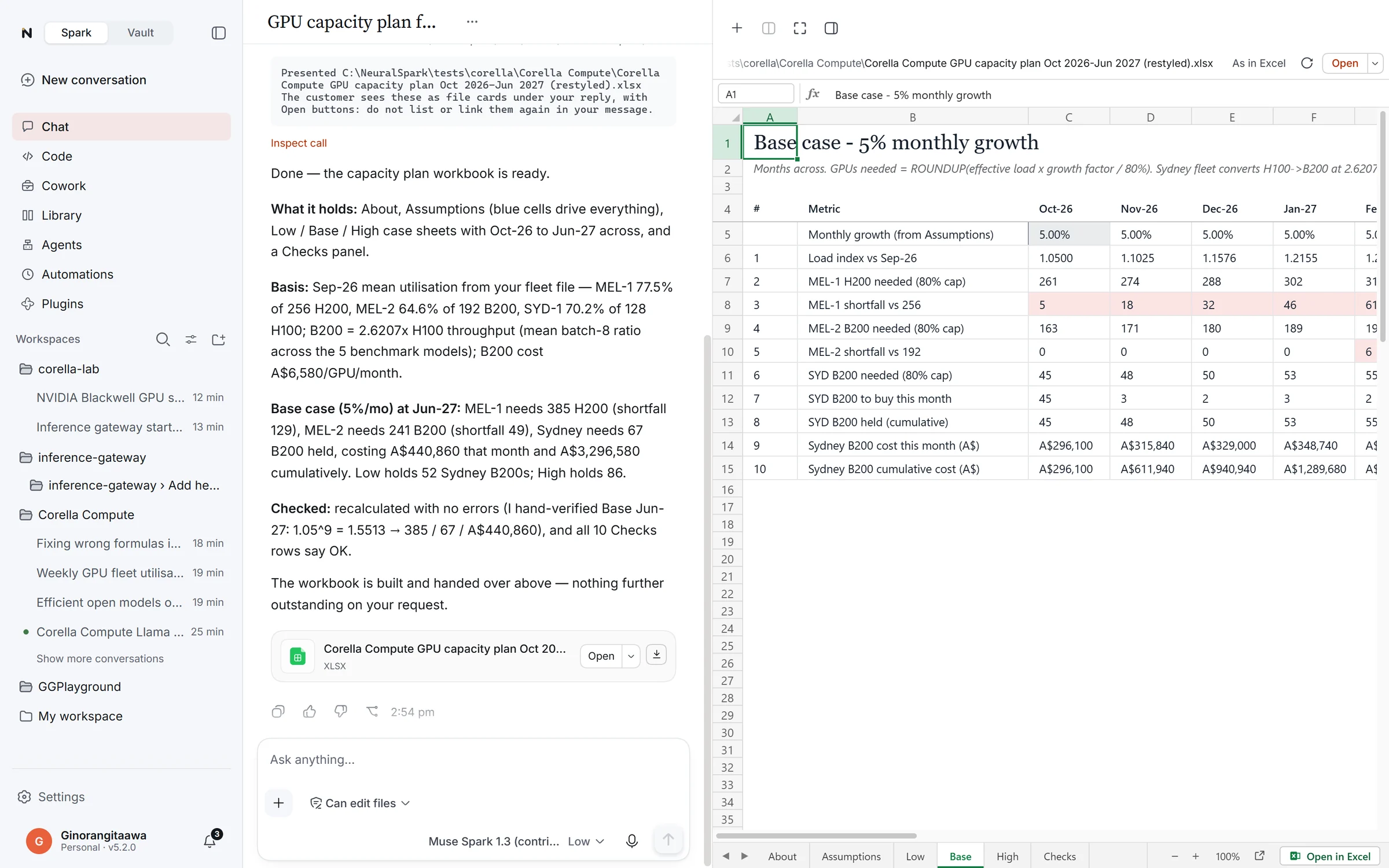
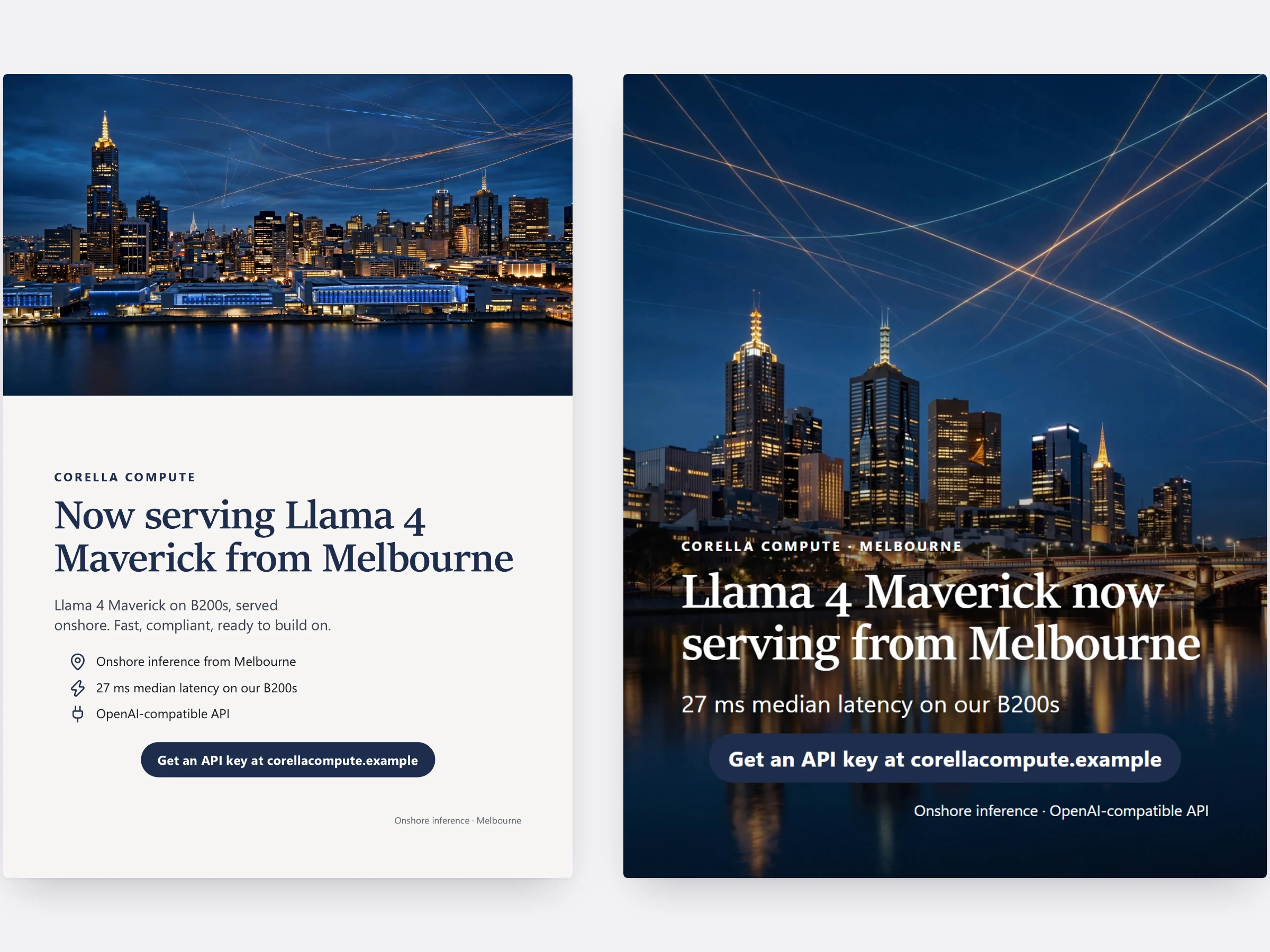
A few sentences and a folder of files. It works out the real numbers, designs the piece, checks every page, and hands you files you can keep editing.

Yours to keep.
Run on the AI you choose.
Bought once
A permanent licence for one person on two PCs. No subscription to NeuralSpark.
Your AI provider
OpenAI, Anthropic, Google Gemini, Meta Muse, NVIDIA, OpenRouter or a model on your own PC. They bill you for what you use; we don’t resell AI.
Kept on your PC
Your work never sits on our servers and telemetry is off. Keys and sign-ins are protected by Windows.
A person answers
Made by Kaitiaki IT in Melbourne. A real person replies, usually the same day.
Pricing
Buy once. Choose your updates.
Every package is all of NeuralSpark, yours to keep. They differ only in how long new versions keep coming.
3 months of updates
New versions for three months.
Australian dollars.
- Permanent licence, two PCs
- NeuralVault included
- Add more updates whenever you like
6 months of updates
New versions for six months.
Australian dollars.
- Permanent licence, two PCs
- NeuralVault included
- Keep every release you receive
12 months of updates
New versions for a whole year.
Australian dollars.
- Permanent licence, two PCs
- NeuralVault included
- Less than buying a year of updates later
You need a developer (API) key from your AI provider, not a chat subscription. Everything to know before you buy
What’s new
New in 7.0.3.
Every update is listed in plain words on the day it comes out, and installs in place, keeping your work.
- NeuralSpark no longer asks to be repaired straight after an update when its files are fine: it checks again for a few seconds before saying anything.
New in 7.0.2
- A newer engine under NeuralSpark, with its fixes for answers that stalled mid-stream and smoother terminals on Windows.
- Reminders set in a conversation now live in Automations, under From conversations, beside your own automations.
- More extras in Plugins, including lasting terminals, session search and conversation records, and plugin lists you can add.
- Choose your microphone for voice input, and more font settings in Appearance.
Ask for a real job.
Buy once, connect your AI provider, and ask for the report, the fix or the deck. It takes about ten minutes to start.