NeuralSpark
Sign in Get NeuralSpark

NeuralSpark for Meta Muse

Your Muse key,
in a real Windows workspace.

NeuralSpark is a desktop app that runs on the Meta Muse API key you already hold: a strong all-rounder with images and search built in, and the cheapest tier of any provider. Chat with sources, decks and documents designed in the conversation, Cowork files and remote servers over SSH — bought once, yours on two PCs.

Why a desktop app

More than a chat box

NeuralSpark puts Muse to work on your PC: comparison cards with the pages they came from, a designer in Chat that makes decks, documents, posters and web pages and checks every page, Cowork that writes files into your own folders after asking once, and your own servers over SSH with every action audited. Your work stays on the PC.

Connect more than one provider and switch per conversation. Prices in Australian dollars, GST included, one payment.
Getting going

Ten minutes, once.

  1. Get a Muse developer key

    Sign in at dev.meta.ai, add a little prepaid credit if asked, and create an API key. Copy it once.

  2. Install NeuralSpark

    Buy once at accounts.neuralspark.com.au, download, enter your activation key.

  3. Paste the key

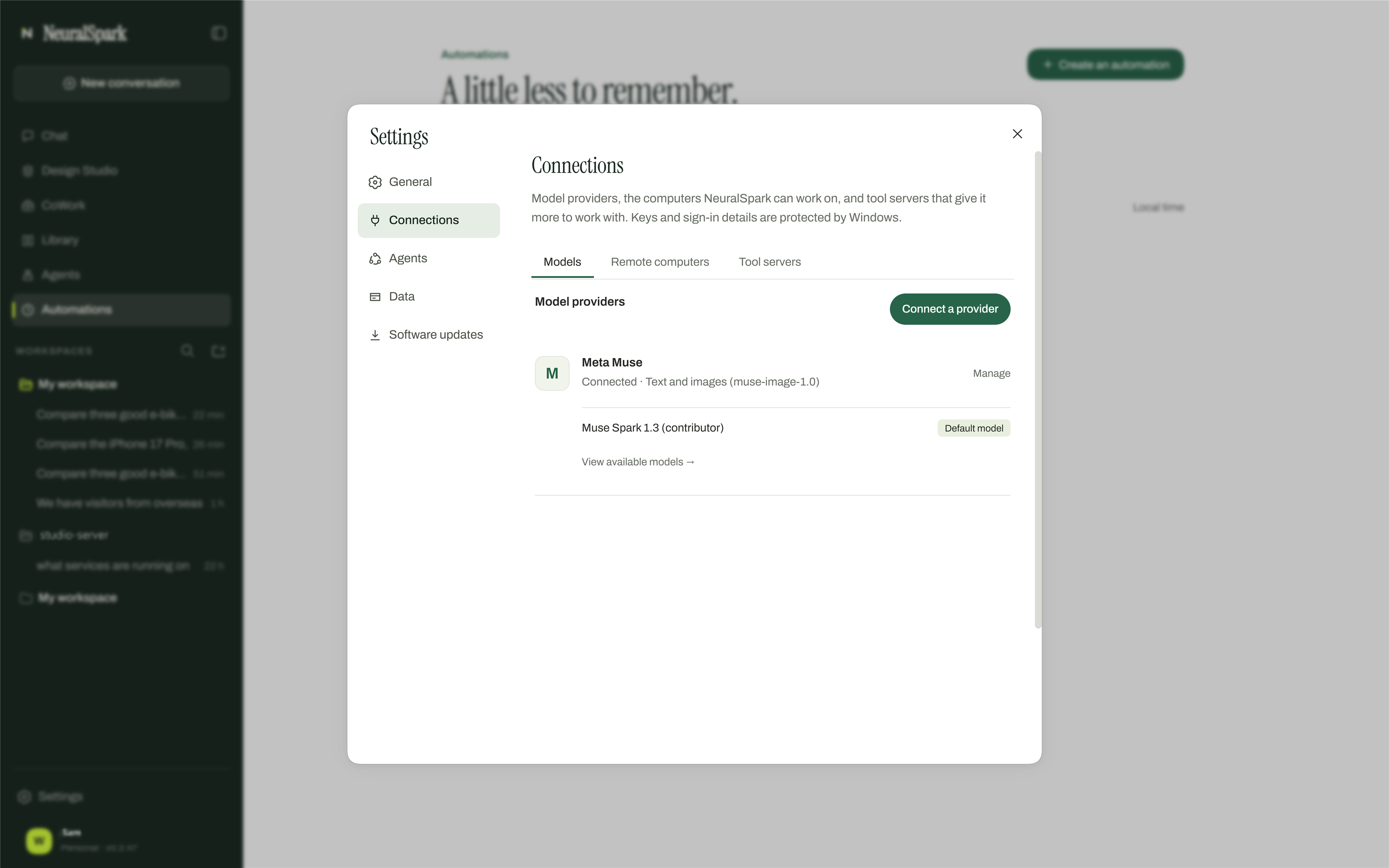
    Settings › Connections › Models › Connect a provider. NeuralSpark recognises Muse from the key, lists the models it can reach and tests the connection.

  4. Bring a real job

    Ask a comparison question, brief Cowork, or describe a design. Usage shows to the cent in your Muse dashboard.

Settings › Connections › Models in NeuralSpark with a provider connected.

Questions

About Muse in NeuralSpark.

Do I need a Muse subscription?

No. NeuralSpark uses a developer API key from dev.meta.ai/, not a chat subscription. You pay Muse for what you use, at their published rates.

What does Muse cost through NeuralSpark?

Exactly what Muse charges — NeuralSpark adds nothing. Current models: muse-spark-1.3-contributor (US$0.10 / US$0.20 — Meta trains on prompts and outputs) and muse-spark-1.3 (US$1.25 / US$4.25, no training). Everyday use is typically under US$1 on Contributor a month.

Does NeuralSpark see my key?

No. The key is kept in Windows' protected storage on your PC and is sent only to the provider. Nothing about your usage is sent to NeuralSpark.

Can Muse make images?

Yes — Meta Muse makes pictures on the same key.

Is my data used for training by Muse?

Meta Muse: Contributor: used for training; Standard: not used. NeuralSpark shows this in Settings next to each model.

Other providers: DeepSeek · Google Gemini · OpenAI · Anthropic Claude · xAI Grok. Compare all prices →